📝 产品详情
Forex account manager mt4
| 作者 | Matong Maphango |
| 版本 | v3 |
| 更新 | 27 六月 2023 |
| 激活数 | 5 |
| 原价 | $100 USD |
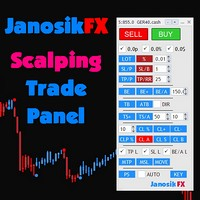
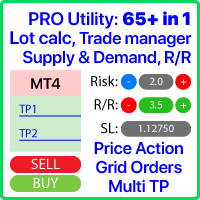
The "Lot Size" button toggles between fixed and auto lot size modes. Fixed mode uses a predetermined lot size, while auto mode calculates lot size based on a customizable percentage of the account balance, displayed at the bottom.
The "Trailing Stop" button enables the activation or deactivation of the trailing stop feature. Initially set to "No Trailing," clicking the button changes it to "Trailing ON" when the trailing stop is active, and "Trailing OFF" when it is inactive. Below the button, you can customize the trailing trigger points and trailing steps. The trigger points determine when the trailing stop is triggered, while the trailing points represent the distance from the market price. It's important to note that the trailing points cannot exceed the trigger points.
"Buy" and "Sell" buttons, which allow you to execute either a buy or sell order. Additionally, the take profit and stop loss levels can be set on the input side when loading the utility.
Between the "Buy" and "Sell" buttons, there is an input field where you can specify your lot size. The calculated amount you will be risking with that lot size, based on the stop loss and lot size, is displayed at the bottom next to "RISK AMOUNT".
Below the "Buy" button, there is a "Close Buy" button, and below the "Sell" button, there is a "Close Sell" button. These buttons are used to manually close open positions. Additionally, there is a "Close All" button located below the "Close Buy" and "Close Sell" buttons, which closes all positions at once. To use this utility to close positions from another expert advisor, simply set the magic number of your expert advisor to match the one used by the utility and open the same chart.
The last two buttons in the utility are "Message to Telegram" and "Image to Telegram." When an open position exists on the chart and you click the "Message to Telegram" button, it sends a signal to a Telegram channel. The message includes the symbol (e.g., EURUSD) and provides details such as the entry price, take profit, and stop loss levels. On the other hand, if you click the "Image to Telegram" button, it captures a screenshot of the chart and sends it to the Telegram channel.Telegram web Request link : https://api.telegram.org
安全须知
本产品仅通过 MQL5.com 官方渠道获取。其他渠道版本可能缺少完整功能和技术支持。
EA 配置
| 交易品种 | XAUUSD |
| 时间框架 | H1 (推荐) |
| 推荐经纪商 | IC Markets, IC Trading |
| 最低存款 | $300 / 0.01手 |
📸 截图预览