📝 产品详情
RiskPilotPanel
| 作者 | Jose Antonio Quintero Cortes |
| 版本 | v1 |
| 激活数 | 5 |
| 原价 | $30 USD |
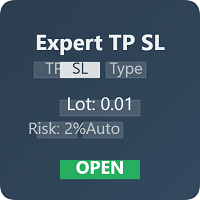
RiskPilot Panel (MT5) is a professional risk & execution panel built for manual traders who want fast, consistent position sizing and clean trade management from a single, lightweight interface. It helps you calculate the correct lot size based on risk, set SL/TP with precision, and optionally manage trades with BreakEven and Partial Close using R-multiples.
KEY FEATURES
1) Risk-Based Lot Sizing (Percent or Fixed Money)
- Risk Mode: Money → enter a fixed amount in your account currency (e.g., 50 USD / 50 EUR). The panel calculates the lot size so that the loss at SL ≈ that amount.
- Risk Mode: % → enter a percentage and the panel converts it into money using a base:
• EQUITY: calculated from current equity
• BALANCE: calculated from account balance
This gives you flexibility: fixed money for strict limits, or % for scalable sizing.
2) Stop Loss Modes: PTS vs LINES
- PTS (Points): SL is defined as a distance in points from entry. Simple and fast.
- LINES (Draggable Lines): the EA creates two chart lines:
• SL BUY line (for buy positions)
• SL SELL line (for sell positions)
You can drag the lines to the exact price level you want (structure highs/lows, order blocks, etc.).
Note: In LINES mode the symbol is tied to the current chart symbol to keep the SL lines consistent with the chart.
3) Auto Take Profit by R:R
Set your desired RR (Risk:Reward). The panel calculates TP automatically using the SL distance.
Example: RR = 2.0 → TP is placed at 2× the SL distance.
4) 1-Click Execution + Safety “ARM” Switch
- ARM OFF / ARM ON: safety lock to prevent accidental trades. Orders can only be sent when ARM is ON.
- BUY / SELL: sends a market order using the current settings (symbol, risk mode + value, SL mode, and optional TP by RR).
OPTIONAL TRADE MANAGER (TOGGLE ON/OFF)
The manager monitors open positions and applies management rules automatically (manual utility, not a strategy).
- MGR ON / OFF: master switch for the Trade Manager.
- BreakEven (BE):
• BE ON / OFF
• BE @R value (e.g., 1.0R)
• Optional BE offset points (startup input): moves SL slightly beyond entry to lock a few points.
How it works: R is measured as the initial distance between Entry and the initial SL. When price reaches the selected multiple (e.g., 1R), SL moves to BE (+ offset if set).
- Partial Close (PC):
• PC ON / OFF
• PC @R value (e.g., 1.0R)
• PC % value (e.g., 50%)
How it works: when price reaches the selected R multiple, the panel closes the selected % of the current position volume once.
Recommended: Manage only EA positions via Magic Number to avoid interfering with other trades/EAs.
PANEL BUTTONS (QUICK REFERENCE)
- Use chart: sets the panel symbol to the current chart symbol.
- % / USD / EUR button (Risk Mode toggle): switches between Percent risk and Fixed Money risk (account currency label).
- EQUITY / BALANCE: selects the base used for % risk calculation.
- PTS / LINES: switches SL mode (points vs draggable chart lines).
- ARM ON / OFF: safety lock for trade execution.
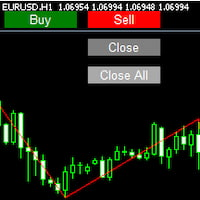
- BUY / SELL: send market order with calculated lot size and SL/TP.
- MGR / BE / PC: enable or disable manager modules.
QUICK START
1) Attach the EA to any chart
2) Select the Symbol (or press Use chart)
3) Set Risk and choose Money or %
4) Choose SL mode:
- PTS: enter SL pts
- LINES: drag the SL BUY / SL SELL lines on the chart
5) Set RR (optional)
6) Turn ARM ON and press BUY or SELL
7) (Optional) Enable MGR / BE / PC for automated management
IMPORTANT NOTES
- This is a manual trading utility. It does not provide trading signals and does not run a strategy.
- Always test on a demo account first.
- Brokers may enforce Stop Level / Freeze Level rules: if SL is too close, the order/SL modification may fail.
- Correct risk depends on symbol specifications (tick size/value, contract size, etc.).
安全须知
本产品仅通过 MQL5.com 官方渠道获取。其他渠道版本可能缺少完整功能和技术支持。
EA 配置
| 交易品种 | XAUUSD |
| 时间框架 | H1 (推荐) |
| 推荐经纪商 | IC Markets, IC Trading |
| 最低存款 | $300 / 0.01手 |
📸 截图预览