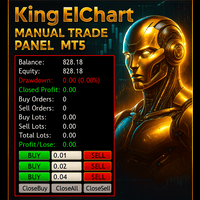
📝 产品详情
Trailling and Cut Loss Manager
| 作者 | Leatchai Limpapavich |
| 版本 | v2.40 |
| 激活数 | 5 |
| 原价 | $40 USD |
Trailling And Cutloss Manager - User Guide
? Overview
This EA (Expert Advisor) manages your entire portfolio's profit with automatic trailing stop and cut loss features, plus manual trading capabilities.
? Control Panel Layout
1. Main Control Buttons (Top Row)
| Button | Description |
|---|---|
| TRAIL: ON ? | Trailing Stop system is ACTIVE - monitors portfolio profit |
| CUT: OFF ? | Cut Loss system is INACTIVE - will not close positions on loss |
How to use:
- Click to toggle ON/OFF
- Green = Active, Red = Inactive
- Both systems can run simultaneously
2. Trailing Stop Settings
| Field | Default | Description |
|---|---|---|
| Trail Target ($) | 100 | Portfolio profit must reach this amount to activate trailing |
| Trail Stop ($) | 10 | How much profit drawdown allowed before closing all positions |
| Trail Step ($) | 5.00 | Minimum profit increase to update peak profit level |
Example:
- Profit reaches $100 → Trailing activates
- Peak profit = $100
- If profit drops to $90 ($100 - $10) → Close all positions
- If profit increases to $105 → Update peak to $105
- New exit level becomes $95 ($105 - $10)
3. Cut Loss Setting ⚠️
| Field | Default | Description |
|---|---|---|
| Cut Loss ($) | -500.00 | Maximum portfolio loss allowed |
How it works:
- When portfolio profit reaches -$500, all positions close automatically
- This is your emergency stop loss for the entire portfolio
- Red color indicates critical safety feature
4. Auto On/Off After Execution ✨ NEW FEATURE
| Button | Status | Behavior |
|---|---|---|
| Trail->OFF ? | Default | After trailing stop closes positions → System turns OFF automatically |
| Trail->ON ? | Optional | After trailing stop closes positions → System stays ON and ready |
| Cut->OFF ? | Default | After cut loss closes positions → System turns OFF automatically |
| Cut->ON ? | Optional | After cut loss closes positions → System stays ON and ready |
Use Cases:
One-Shot Trading:
- Set both to ->OFF (Green)
- System closes positions once and stops
- Prevents accidental re-triggering
Continuous Trading:
- Set both to ->ON (Blue)
- System keeps monitoring after closing positions
- Useful for 24/7 automated trading
5. Manual Trading Section
| Field/Button | Default | Description |
|---|---|---|
| Lot Size | 0.03 | Volume for manual trades |
| BUY ? | - | Opens a BUY position at current market price |
| SELL ? | - | Opens a SELL position at current market price |
Important Notes:
- Minimum lot size: 0.01
- Positions opened will be managed by trailing/cut loss if systems are ON
- No Stop Loss or Take Profit set on manual orders (managed by portfolio system)
6. Emergency Controls
| Button | Description |
|---|---|
| CLOSE ALL POSITIONS ? | Immediately closes ALL open positions (requires confirmation) |
When to use:
- Market emergency
- End of trading day
- Need to exit all positions quickly
7. Status Display (Bottom)
Profit: 133.96 | Exit: 123.96
Indicators:
- Profit: Current portfolio profit/loss in dollars
- Exit: Trailing stop exit level (only shows when trailing is active)
- Cut At: Cut loss level (only shows when cut loss is ON)
? Typical Workflow
Scenario 1: Conservative One-Trade Setup
- Set Trail Target = $100, Trail Stop = $10
- Set Cut Loss = -$50
- Keep Trail->OFF and Cut->OFF (green)
- Click TRAIL: ON and CUT: ON
- Open positions using BUY/SELL or external EA
- System monitors automatically
- After first exit (profit or loss) → System stops
Scenario 2: Aggressive Continuous Trading
- Set Trail Target = $50, Trail Stop = $5
- Set Cut Loss = -$100
- Change to Trail->ON and Cut->ON (blue)
- Click TRAIL: ON and CUT: ON
- System continuously monitors and trades
- Never stops until manually turned OFF
Scenario 3: Manual Day Trading
- Turn OFF Trail and Cut systems (red buttons)
- Use BUY/SELL buttons with desired lot size
- Monitor manually
- Close all with CLOSE ALL POSITIONS when done
⚠️ Safety Features
- SL Protection: When trailing activates, system sets Stop Loss on all positions
- Confirmation: Close All button requires YES confirmation
- Auto Shutdown: Default settings close systems after execution to prevent loops
- Portfolio-Based: Monitors total profit, not individual positions
? Pro Tips
- Start Conservative: Use small lot sizes (0.01-0.05) when testing
- Trailing Step: Set to 10-20% of Trailing Stop for smooth operation
- Cut Loss: Should be 2-5x larger than Trail Stop for asymmetric risk/reward
- Test First: Use demo account to understand behavior before live trading
Problem Description
When you use Trailling and cutloss manager EA to close all orders while this EA is running, Some EA(such as grid ea) stops opening new orders completely.
Why This Happens
The issue occurs due to state synchronization mismatch between the EA's internal variables and actual market positions:
安全须知
本产品仅通过 MQL5.com 官方渠道获取。其他渠道版本可能缺少完整功能和技术支持。
EA 配置
| 交易品种 | XAUUSD |
| 时间框架 | H1 (推荐) |
| 推荐经纪商 | IC Markets, IC Trading |
| 最低存款 | $300 / 0.01手 |
📸 截图预览