📝 产品详情
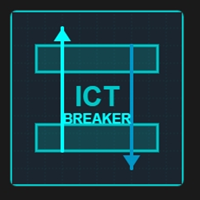
ICT Breaker Block
| 作者 | Domantas Juodenis |
| 版本 | v9 |
| 激活数 | 15 |
| 原价 | $215 USD |
Trade Like The Institutions
The ICT Breaker Block EA is a sophisticated automated trading system based on the powerful Inner Circle Trader (ICT) methodology. This EA identifies institutional order blocks, detects when they are broken (becoming "breaker blocks"), and enters trades when price returns to test these levels.
What This EA Does
Core Strategy
The EA automatically:
- Detects Order Blocks - Identifies consolidation zones where institutions have placed orders
- Monitors For Breaks - Watches for price breaking through these zones (creating breaker blocks)
- Enters On Retests - Opens trades when price returns to test the breaker block
- Manages Positions - Handles stop loss, take profit, and optional trailing stop
Trading Logic
Bullish Setup:
- Bearish order block gets broken to the upside
- Becomes a bullish breaker block
- EA buys when price retests the zone from above
Bearish Setup:
- Bullish order block gets broken to the downside
- Becomes a bearish breaker block
- EA sells when price retests the zone from below
Key Features
Professional Dashboard
- Real-time account statistics (Equity, Balance, P/L)
- Current trading session display
- Market sentiment indicator
- News impact warnings
- Trading statistics (Win rate, Total trades)
- Risk management information
- Session times (London, New York, Tokyo)
- Live position tracking
Order Block Detection
- Automatic identification of institutional order blocks
- Configurable minimum block size
- Visual representation on chart (cyan rectangles)
- Historical analysis of up to 50 bars
- Smart validation system
Killzone Filtering
- London Killzone (2:00-5:00 GMT) - Institutional trading hours
- New York Killzone (8:00-11:00 GMT) - Major liquidity events
- Configurable session hours for your broker
- Optional 24/7 trading mode
4 Risk Management Modes
-
Fixed Lot Size
- Trade consistent lot sizes every time
- Best for: Testing and consistent risk
- Example: Always trade 0.01 lot
-
Fixed Money Risk
- Risk a fixed dollar amount per trade
- Best for: Consistent dollar risk
- Example: Risk $100 per trade
-
Equity Percentage
- Risk a percentage of current equity
- Best for: Dynamic risk as account grows
- Example: Risk 2% of equity per trade
-
Balance Percentage
- Risk a percentage of account balance
- Best for: Conservative compounding
- Example: Risk 1.5% of balance per trade
Advanced Position Management
- Automatic stop loss placement
- Configurable take profit targets
- Optional trailing stop function
- One-trade-at-a-time mode (recommended)
- Automatic margin checking
- Smart lot size reduction if insufficient funds
Multiple Filters
- News Filter - Avoid trading during high-impact news
- Market Sentiment - Only trade with favorable conditions
- Session Filter - Trade only during optimal times
- Minimum Block Size - Quality over quantity
Visual Enhancements
- Professional dark theme matching your charts
- Order blocks drawn as cyan rectangles
- Clear labeling and tooltips
- Clean, unobtrusive dashboard
- Customizable chart colors
Complete Settings Guide
EA SETTINGS
- EA Name - Display name on dashboard (default: "ICT Breaker Block")
- EnableTrading - Master on/off switch (default: true)
- OneTradeAtATime - Limit to single position (default: true, RECOMMENDED)
- ShowDebugInfo - Detailed logging for testing (default: false)
BREAKER BLOCK SETTINGS
- LookbackBars - Bars to scan for order blocks (default: 50)
- Lower = fewer blocks, higher quality
- Higher = more blocks, more trades
- MinBlockSize - Minimum size in points (default: 10)
- Increase for stronger setups (15-20)
- Decrease for more signals (5-8)
- BlockValidationPips - Pips to confirm break (default: 5.0)
- Higher = more confirmation needed
- Lower = earlier entries
- TradeTopBlocks - Trade bearish breakers (default: true)
- TradeBottomBlocks - Trade bullish breakers (default: true)
KILLZONE SETTINGS
- UseKillzoneFilter - Enable session filter (default: false for testing, true for live)
- UseLondonKZ - Trade London session (default: true)
- LondonStartHour - London start time (default: 7, adjust for broker GMT)
- LondonEndHour - London end time (default: 10)
- UseNewYorkKZ - Trade New York session (default: true)
- NewYorkStartHour - NY start time (default: 13, adjust for broker GMT)
- NewYorkEndHour - NY end time (default: 16)
RISK MANAGEMENT
-
RiskManagementType - Choose risk mode (default: RISK_FIXED_LOT)
- RISK_FIXED_LOT - Consistent lot size
- RISK_FIXED_MONEY - Fixed dollar risk
- RISK_EQUITY_PERCENT - Percent of equity
- RISK_BALANCE_PERCENT - Percent of balance
-
FixedLot - Lot size for fixed mode (default: 0.01)
-
FixedMoneyRisk - Dollar amount to risk (default: $100)
-
EquityRiskPercent - Equity risk percentage (default: 2.0%)
-
BalanceRiskPercent - Balance risk percentage (default: 2.0%)
TRADE MANAGEMENT
- StopLossPips - Stop loss distance (default: 20 pips)
- TakeProfitPips - Take profit distance (default: 40 pips)
- Recommended ratio: 1:2 (risk:reward)
- UseTrailingStop - Enable trailing stop (default: false)
- TrailingStopPips - Trailing distance (default: 15 pips)
- TrailingStepPips - Step size before moving (default: 3 pips)
FILTERS
- UseNewsFilter - Avoid high-impact news (default: false)
- NewsAvoidanceMinutes - Minutes before/after news (default: 30)
- UseMarketSentiment - Sentiment filter (default: false)
- MinSentimentScore - Minimum score 0-1 (default: 0.5)
Recommended Settings
For Beginners (Conservative)
RiskManagementType: RISK_FIXED_LOT FixedLot: 0.01 OneTradeAtATime: true UseKillzoneFilter: true MinBlockSize: 10 StopLossPips: 30 TakeProfitPips: 60 UseTrailingStop: false
For Intermediate (Balanced)
RiskManagementType: RISK_EQUITY_PERCENT EquityRiskPercent: 1.5 OneTradeAtATime: true UseKillzoneFilter: true MinBlockSize: 7 StopLossPips: 25 TakeProfitPips: 50 UseTrailingStop: false
For Advanced (Aggressive)
RiskManagementType: RISK_EQUITY_PERCENT EquityRiskPercent: 2.0 OneTradeAtATime: false UseKillzoneFilter: true MinBlockSize: 5 StopLossPips: 20 TakeProfitPips: 40 UseTrailingStop: true TrailingStopPips: 15
For Testing/Optimization
RiskManagementType: RISK_FIXED_LOT FixedLot: 0.01 UseKillzoneFilter: false (test 24/7) MinBlockSize: 5-15 (optimize this) ShowDebugInfo: true (see what's happening)
Usage Tips
Best Timeframes
- M15 (15 minutes) - Best balance of signals and quality
- M30 (30 minutes) - Higher quality, fewer trades (recommended for live)
- H1 (1 hour) - Very selective, strong signals only
- M5 (5 minutes) - More signals, higher frequency
Best Currency Pairs
- EURUSD - Most liquid, tight spreads, reliable
- GBPUSD - Good volatility, clear order blocks
- USDJPY - Stable, works well with killzones
- AUDUSD - Good for Asian/NY sessions
- GOLD (XAUUSD) - Use wider stops (40-60 pips)
Killzone Hours by Broker
Most brokers use GMT+2 or GMT+3. Adjust accordingly:
If your broker is GMT+2:
- London: 9:00-12:00
- New York: 15:00-18:00
If your broker is GMT+3:
- London: 10:00-13:00
- New York: 16:00-19:00
Check your broker's server time and adjust killzone hours!
What Makes This EA Special
Based on proven ICT concepts - Used by professional traders worldwide ✅ Institutional-grade logic - Trade where the big money trades ✅ Professional dashboard - Monitor everything at a glance ✅ Multiple risk modes - Suitable for all account sizes ✅ Smart position management - Automatic margin checks ✅ Visual feedback - See order blocks on your chart ✅ Highly configurable - 30+ parameters to customize ✅ Works on netting accounts - MT5 compatible ✅ No martingale - Safe, professional risk management ✅ No grid trading - Clean, directional trades only
Expected Performance
Realistic Expectations
- Win Rate: 40-55% (typical for breakout strategies)
- Risk:Reward: 1:2 recommended (20 pips risk, 40 pips profit)
- Trade Frequency:
- M15: 100-300 trades/year
- M30: 50-200 trades/year
- H1: 30-100 trades/year
- Drawdown: Under 30% with proper risk management
Performance Notes
- Past performance does not guarantee future results
- Results vary by pair, timeframe, and settings
- Always test on demo account first
- Use proper risk management (1-2% per trade)
Technical Requirements
- Platform: MetaTrader 5 (build 3650+)
- Account Type: Any (Real, Demo, Netting, Hedging)
- Minimum Balance:
- $100 for 0.01 lot
- $1,000 for 0.1 lot
- $10,000 for 1.0 lot
- Leverage: 1:100 or higher recommended
- VPS: Recommended for 24/7 operation
- Spread: Works best with low spreads (< 2 pips)
Getting Started
Quick Setup (5 minutes)
- Download and install EA
- Attach to EURUSD M15 chart
- Use default settings (or "Beginners" preset)
- Enable AutoTrading in MT5
- Monitor for 24-48 hours
Optimization (Optional)
Use Strategy Tester to optimize:
- MinBlockSize (5-15)
- StopLossPips (15-40)
- TakeProfitPips (30-80)
- Killzone hours (adjust for broker)
Live Trading Checklist
- Tested on demo for 2+ weeks
- Understand all settings
- Set appropriate risk (1-2%)
- OneTradeAtATime = true
- Killzone filter enabled
- Monitor daily initially
- VPS for 24/7 operation
Support
- Read included user manual
- Check product comments section
- Enable ShowDebugInfo for troubleshooting
- Test settings on demo first
- Adjust killzone hours for your broker
RISK WARNING
Trading foreign exchange on margin carries a high level of risk and may not be suitable for all investors. Past performance is not indicative of future results. The high degree of leverage can work against you as well as for you. Before deciding to trade foreign exchange you should carefully consider your investment objectives, level of experience, and risk appetite. The possibility exists that you could sustain a loss of some or all of your initial investment and therefore you should not invest money that you cannot afford to lose. You should be aware of all the risks associated with foreign exchange trading and seek advice from an independent financial advisor if you have any doubts.
About ICT
This EA implements Inner Circle Trader (ICT) trading concepts including order blocks and breaker blocks. These are institutional trading patterns used by banks and large financial institutions. This product is not affiliated with or endorsed by ICT or any educational resources.
Version History
v1.00 - Initial Release
- Complete ICT Breaker Block implementation
- Professional dashboard
- 4 risk management modes
- Killzone filtering
- Multiple timeframe support
- Comprehensive position management
Start trading with institutional edge today!
Recommended: Start with demo account, use 1-2% risk, enable killzone filter for live trading.
安全须知
本产品仅通过 MQL5.com 官方渠道获取。其他渠道版本可能缺少完整功能和技术支持。
EA 配置
| 交易品种 | XAUUSD |
| 时间框架 | H1 (推荐) |
| 推荐经纪商 | IC Markets, IC Trading |
| 最低存款 | $300 / 0.01手 |
📸 截图预览