📝 产品详情
Signal Generator with MACD
| 作者 | Ibrahim Kisioglu |
| 版本 | v3.50 |
| 更新 | 2025-08-28T14:42:56 |
| 激活数 | 0 |
HTF MACD – Trend-Aligned Signals (one subwindow, arrows on chart)
What it does
This indicator keeps you trading with the higher-timeframe trend while using MACD crosses for precise entries. In a single subwindow it shows:
-
HTF Trend Histogram — green = uptrend, red = downtrend (neutral is hidden for a cleaner view)
-
MACD Lines — blue = MACD main, orange = MACD signal
-
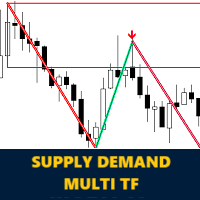
Arrows on the price chart when a valid, trend-aligned MACD cross occurs
-
Optional alerts on bar close
Entry logic (strict, closed-bar only)
-
BUY: MACD crosses up (main > signal), both MACD lines are below zero (or below an adaptive band), and HTF trend = UP.
-
SELL: MACD crosses down (main < signal), both MACD lines are above zero (or above an adaptive band), and HTF trend = DOWN.
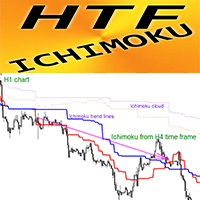
How HTF trend is defined
-
Uses two EMAs on your chosen higher timeframe (e.g., H1).
-
Trend = UP when momentum is rising (d0>d1, optionally d1>d2) and short EMA is above long EMA.
-
Trend = DOWN with the opposite conditions.
-
The histogram plots the EMA spread and is colored by trend (green/red). Neutral is hidden.
Why it helps
-
The HTF filter keeps you out of counter-trend crosses.
-
The zero/band rule avoids weak signals formed too close to the MACD midline.
-
Everything is evaluated on closed bars, so no repainting surprises.
Adaptive “zero band” (optional)
MACD scale changes by symbol and timeframe, so a fixed threshold can be awkward.
-
Turn Adaptive Band ON to auto-size a “no-trade zone” from recent MACD histogram volatility.
-
Prefer strict zero? Turn Adaptive OFF and set the fixed band to 0.0.
Clean chart behavior
When you remove the indicator, change TF, or re-compile, it auto-deletes its arrows, so nothing is left behind.
Key inputs (most useful first)
-
InpHTF, HTF_ShortEMA, HTF_LongEMA — HTF trend filter timeframe & EMAs
-
MACD_Fast/Slow/Signal — MACD settings for your current chart
-
UseAdaptiveZeroBand, BandLen, BandMult — adaptive distance from zero (OFF to use fixed)
-
FixedZeroBand, MinMACDGap — fixed zero band & minimum line separation (set to 0 to disable)
-
UseStrict3BarMomentum, HTF_MomentumOnly — make the HTF filter stricter or looser
-
DrawChartArrows, EnableAlerts — visuals & notifications
Quick start
-
Choose your HTF (e.g., H1) and keep defaults: 50/100 EMAs.
-
Use default MACD (12/26/9).
-
Start with Adaptive Band ON (BandLen 200, BandMult 0.5).
-
Only act on arrows/alerts that meet the rules above.
Tips
-
Increase BandMult to filter more near-zero crosses.
-
If you want to see neutral trend as well, we can add a gray middle plot.
-
Always forward-test your settings on your symbol/timeframe.
Happy trading and stay aligned with the trend!
安全须知
本产品仅通过 MQL5.com 官方渠道获取。其他渠道版本可能缺少完整功能和技术支持。
EA 配置
| 交易品种 | XAUUSD |
| 时间框架 | H1 (推荐) |
| 推荐经纪商 | IC Markets, IC Trading |
| 最低存款 | $300 / 0.01手 |
📸 截图预览