📝 产品详情
Kalifx trailing stop EA
| 作者 | Calvin Andile Mahlangu |
| 版本 | v1.10 |
| 更新 | 2024-03-15T14:13:00 |
| 激活数 | 8 |
KALIFX Trailing Stop Utility for MetaTrader 4
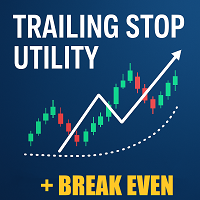
The KALIFX Trailing Stop Utility is a tool for automated stop-loss management on the MetaTrader 4 platform.
It monitors open positions and dynamically adjusts the stop-loss level as the price moves in favor of the trade.
The utility can also place initial stop-loss and take-profit levels and apply breakeven rules once the trade reaches a defined profit distance.
Core Functionality
1. Trailing Stop Logic
When the market moves in the direction of an open trade and reaches the user-defined Trailing Start distance,
the utility begins adjusting the stop-loss automatically.
The stop-loss is updated at intervals determined by the Trailing Step parameter — ensuring that the stop-loss trails the price in small, controlled increments without excessive repositioning.
-
Trailing Start (pips): Distance in pips before the trailing stop activates.
-
Trailing Step (pips): Minimum change in price required before the stop-loss is updated again.
-
Trailing Stop (pips): Automatically moves the stop-loss as the trade goes into profit, maintaining a set distance behind the current price. This helps lock in profits while allowing the trade room to continue running.
This approach allows gradual profit protection while maintaining flexibility during volatile price movement.
2. Breakeven System
The breakeven function shifts the stop-loss to the entry price (plus an optional offset) when the trade reaches a percentage of the take-profit level.
-
BE % of Take-Profit: Defines when breakeven should activate, relative to the TP distance.
-
BE Offset (pips): Adds a small safety buffer beyond entry to cover spread or commissions.
Once triggered, the stop-loss is adjusted to ensure the position remains risk-free.
3. Automatic SL/TP Placement
If a trade opens without a defined stop-loss or take-profit, the utility can automatically assign them according to preset values.
This guarantees that every trade is protected immediately after execution.
Input Parameters
| Category | Parameter | Description |
|---|---|---|
| General | Automatic SL & TP | Enable automatic stop-loss and take-profit placement |
| Trailing | Use Trailing Stop? | Enable or disable trailing function |
| Trailing Start (pips) | Distance before trailing begins | |
| Trailing Step (pips) | Step size between stop-loss updates | |
| Trailing Stop (pips) | Distance the stop-loss maintains behind the current price | |
| Breakeven | Use Breakeven? | Enable or disable breakeven system |
| BE % of Take-Profit | Activation threshold for breakeven | |
| BE Offset (pips) | Distance beyond breakeven |
Usage Notes
-
Attach the utility to any chart where you want trades to be managed automatically.
-
Works with manual trades or Expert Advisors.
-
Compatible with all trading instruments and timeframes.
-
Test on a demo account before using on live funds to confirm parameter suitability.
-
Support is available via the MQL5 message system.
Support
For assistance or customization inquiries, please contact the author via the MQL5 comments section or the private messaging system.
安全须知
本产品仅通过 MQL5.com 官方渠道获取。其他渠道版本可能缺少完整功能和技术支持。
EA 配置
| 交易品种 | XAUUSD |
| 时间框架 | H1 (推荐) |
| 推荐经纪商 | IC Markets, IC Trading |
| 最低存款 | $300 / 0.01手 |
📸 截图预览