📝 产品详情
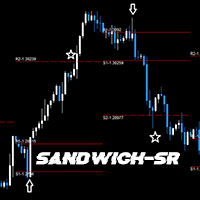
SandwichSR
| 作者 | Jay Benedict Alfaras |
| 版本 | v1.7 |
| 更新 | 7 八月 2023 |
| 激活数 | 0 |
GENERAL DESCRIPTION
Simple SR Projection based on selected instrument's historical data. Best used in conjunction with current market sentiment, and fundamental analysis. Currently limited to selected pairs due to of historical data to project accurate levels.
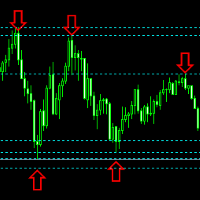
Generally, for support and resistance, 2 levels are drawn, respectively. The inner levels (R1,S1) project the highs and lows during the opening stages of selected time frame. The outer levels, represent the targets to reach during the closing stages of the selected time frame.(Hence, the name Sandwich)
Initially a personal research project which I've found to be useful in parallel with multiple technical analysis and fundamental analysis techniques.
Max Time frames for selected period:
1. Daily: H1
2. Weekly: D1
3. Monthly: W1
***NOTE: This product is consistently being improved and developed.
OTHER AVAILABLE FEATURES:
OHLC Plot (Selected time frame) - basic plotting of OHLC
FUTURE PLANS:
1. Alerts - Basic alerts when price is rejecting off of a level
2. Signals - Buy and Sell signals
3. Additional Instruments
4. TradingView Indicator
LIMITATIONS
Limited to few pairs due to lack of historical data. Currently limited to GBPUSD, EURUSD, AUDUSD, USDJPY, USDCAD, USDCHF, XAUUSD
Levels are calculated based on instrument's historical profile, price movements, and volatility.
Each asset is therefore considered unique from each other, and therefore requires extensive research individually.
Projected levels may vary based on broker data.
INSTALLATION INSTRUCTIONS
The indicator should be automatically installed under the MQL4/Indicators/Market folder, in which case, the program should work properly. You may access it from the indicators drop-down menu, or from the navigator.
If in case the program is installed in MQL/Experts/Markets, relocate the program to the Indicators Folder, otherwise, it will not work correctly.
1. Open Data Folder: File > Open Data Folder
2. Navigate to: MQL4 > Experts > Market
3. Move the file "SandwichSR.ex4" (Ctrl+X)
4. Place in the indicators folder: MQL4 > Indicators
5. Restart MT4
Once done, you may access the indicator from the indicators drop-down menu, or from the navigator.
Additional Support: https://t.me/b63_ph
安全须知
本产品仅通过 MQL5.com 官方渠道获取。其他渠道版本可能缺少完整功能和技术支持。
EA 配置
| 交易品种 | XAUUSD |
| 时间框架 | H1 (推荐) |
| 推荐经纪商 | IC Markets, IC Trading |
| 最低存款 | $300 / 0.01手 |
📸 截图预览