📝 产品详情
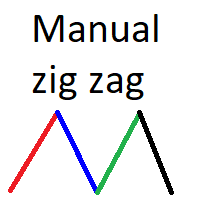
Manual zig zag
| 作者 | Andrey Koshcheev |
| 版本 | v3.0 |
| 更新 | 2020-07-06T18:30:26 |
| 激活数 | 63550 |
Manual Zig-zag allows you to build a zig-zag with the mouse, to build it is necessary to turn on the zig-zag and left-click. The file must be placed in the \ MQL4 \ Indicators folder then in the terminal from the list of indicators put it on the chart.
A zigzag can be built so that this zigzag can only be seen on the current time frame or in all halves at once.
You can change the color and thickness of the line while on the chart without getting into the settings.
You can quickly remove each zigzag line.
Hotkeys:
Z - turns on zigzag drawing. One press of a key turns on the function, a second press turns off the function.
C - turns on zigzag display on all timeframes. One press of a key turns on the function, a second press turns off the function.
A-includes blue line color
D-includes red line color
Ctrl - clicking the left mouse button while holding down Ctrl deletes one line of the zigzag.
安全须知
本产品仅通过 MQL5.com 官方渠道获取。其他渠道版本可能缺少完整功能和技术支持。
EA 配置
| 交易品种 | XAUUSD |
| 时间框架 | H1 (推荐) |
| 推荐经纪商 | IC Markets, IC Trading |
| 最低存款 | $300 / 0.01手 |
📸 截图预览