📝 产品详情
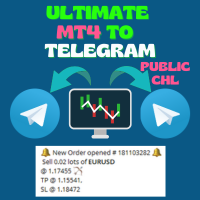
Ultimate MT4 to Telegram Public Channel
| 作者 | BLAKE STEVEN RODGER |
| 版本 | v1.36 |
| 更新 | 17 三月 2025 |
| 激活数 | 0 |
Ultimate MT4 to Telegram Public Channel sends controlled trades (via symbol, magic, comment) to a public telegram channel. It sends open and closed trades, including pending orders and TP/SL modifications, along with chart screenshots, to this public telegram channel. Additionally, you can send trade reports of open trades and summary profit/pip reports for day, week, or month. You can customize the design of the trade actions or reports with variables and emoticons.
A beautiful panel allows you to visualize all the controlled open trades in useful trade information columns, along with a complete log, and ability to generate any type of report.
This version is easy to use from the start, as it doesn't require telegram configuration. For more detailed inputs and variables, click here.
This version is easy to use from the start, as it doesn't require telegram configuration. For more detailed inputs and variables, click here.
Setup Instructions:
- Go to options/"Expert Advisors" and add the URL: https://api.telegram.org
- Join the Public Telegram Channel: https://t.me/UltMT4TG
- Add the EA to chart and setup your filters
Parameters:
- Id - Allows multiple instances of UMT to run on different charts
- Send Pending Order After Executed (true/false) - self-explanatory
Symbol Name Options:
- Ability to remove prefix or suffix characters and match symbols
SL/TP Options:
- Ability to indicate default SL or TP in pips, if needed
Lot Options:
- Lot Calculation - (dropdown: Original, Fixed, Multiplier)
- Lot Fixed - if Fixed, then put in custom lot size here (e.g., 0.01)
- Lot Multiplier - if Multiplier, then put in multiplier here (e.g., 1 is the original lot size, 2 is double, etc)
Message Specifications:
- Allows you to indicate all the custom message specifications & variables* for the Order Open, Modify, Close in profit (lose) and partial close.
- Allows you to indicate all the custom report specifications & variables* for Open Trades, Today/Yesterday’s Report, Week and Month Report.
Chart Screenshot:
- Allows you to indicate if screenshots will be sent at open, modify, or close; at what width and height in pixels; what chart background image will be included; and what symbols, comments, magic, timeframe, and template will be tagged with these screenshots.
Show/Hide Columns:
- Allows you to Show Always/Hide the various info columns of the controlled open trades panel. There are many useful columns, but this option allows you to hide any of them to narrow the panel.
Filters:
- Filter (Symbol, Magic Number, Comment) — With dropdown menu: None, Equal, Not Equal, Contain, Not Contain. These filters allow you to include (exclude) specific symbols, magic numbers, comments, or parts of them. For example, if Symbol contains USD, you will control all USD based symbols. If Magic Number equals 80260, 40260, you will manage only these magic numbers.
安全须知
本产品仅通过 MQL5.com 官方渠道获取。其他渠道版本可能缺少完整功能和技术支持。
EA 配置
| 交易品种 | XAUUSD |
| 时间框架 | H1 (推荐) |
| 推荐经纪商 | IC Markets, IC Trading |
| 最低存款 | $300 / 0.01手 |
📸 截图预览