📝 产品详情
RenkoFromRealTicks
| 作者 | Stanislav Korotky |
| 版本 | v1.6 |
| 更新 | 2021-01-18T17:46:52 |
| 激活数 | 5 |
| 原价 | $49 USD |
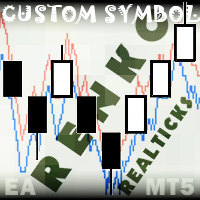
This non-trading expert utilizes so called custom symbols feature (available in MQL API as well) to build renko charts based on history of real ticks of selected standard symbol. RenkoFromRealTicks generates custom symbol quotes, thus you may open many charts to apply different EAs and indicators to the renko. It also transmits real ticks to update renko charts in real time.
The generated renko chart uses M1 timeframe. It makes no sense to switch the renko chart to a timeframe other than M1. The start time of a "minute" bar does normally correspond to the start time of renko box. The end time of a such "minute" bar is dummy (MetaTrader does not allow for bars with different duration), instead you should look at start time of the next "minute" bar. Optionally, you may enable markup of the boxes by close time (see CloseTimeMode below).
After its placement on a chart, RenkoFromRealTicks downloads tick history and generates renko bars for the custom symbol. This may take a while and require additional space on the disk. EA shows a progress in the comment. When the process is finished, the comment looks like this:
RenkoChart(100pt): open EURUSD_T_r100 / 1000 bars
where 100pt is the requested box size in points, EURUSD_T_r100 is a customizable symbol name, 1000 is a number of generated boxes (if EA is running for the very first time, this is the total number of renko bars, but if it continues on results of a previous terminal session, the number of new boxes can be a few, because only most recent, missing boxes are generated).
Parameters
- RenkoBoxSize - box size in points, by default - 100;
- ShowWicks - enable/disable wicks on renko, by default - true;
- EmulateOnLineChart - enable/disable ticks emulation on renko charts, by default - true; it updates indicators and other EAs on backtests and online;
- OutputSymbolName - name of the custom symbol for renko, by default - empty string - then the name is formed as "Symbol_T_PrefixSizeSuffix", where Symbol - current work symbol, Prefix - "r" (renko) wicks are enabled or "b" (brick) if disabled, Size - RenkoBoxSize; optional Suffix - "c" for close time mode; "g" - for gapless renko type;
- Reset - an option to enforce complete recalculation of entire renko chart, by default - false; after it is set to true and calculations are completed, it is recommended to reset it back to false in order to eliminate excessive recalculations on every terminal restart; this mode is helpful in rare cases, when generated renko chart contains an error for some reason; normally the option is disabled, because the EA continues calculation smartly from the most recent existing box;
- RenkoType - selector of the box calculation algorithm: Conventional or Gapless (also known as non-gap, rail-to-rail, see examples in the pictures);
- VolumeType - selector of the volumes per box calculations: Total Volume, or Delta Volume with either of 3 algorithms (Ask vs Bid, Ask + Bid, Tick Flags);
- CloseTimeMode - when true, boxes are shown and formed at their close time; in this mode only 1 tick is generated per box, when box is added completely formed to a chart; by default - false, i.e. boxes are created at open time (the latest live "box" is updated continuously and is not actually a box until it's closed);
- DropTicksOutsideBars - filter out incorrect ticks (outliers);
- StartFrom - time where to start the tick history processing, 0 means very beginning;
- StopAt - time where to stop, 0 means till current time;
Volume Delta Methods
In the method Ask vs Bid tick volumes are considered for buy if Ask price increases, and for sell if Bid decreases (please note, that on some accounts/symbols Bid changes more frequent than Ask, which introduces a negative bias; this is the platform specificity).
The method Ask+Bid analyses the changes of the average price (sum of Ask and Bid): move up - buy, move down - sell.
Tick Flags is based on buy/sell tick flags and applicable for exchanges only.
安全须知
本产品仅通过 MQL5.com 官方渠道获取。其他渠道版本可能缺少完整功能和技术支持。
EA 配置
| 交易品种 | XAUUSD |
| 时间框架 | H1 (推荐) |
| 推荐经纪商 | IC Markets, IC Trading |
| 最低存款 | $300 / 0.01手 |
📸 截图预览