📝 产品详情
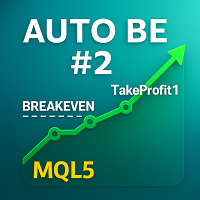
Auto BE 2 Edition
| 作者 | Calvin Andile Mahlangu |
| 版本 | v2.2 |
| 更新 | 26 一月 2026 |
| 激活数 | 63550 |
Auto BE 2 Edition– Trade Exit and ADR Panel Utility (MT4)
Auto BE 2 Edition is a MetaTrader 4 utility designed to manage trade exits through automatic stop-loss placement, breakeven protection, and optional partial position closing.
It also includes an optional ADR (Average Daily Range) panel that displays market range and volatility data directly on the chart.
The tool supports structured and consistent trade management for both manual and Expert Advisor-driven trades.
Main Functions
Automatic Stop-Loss and Take-Profit
Automatically applies Stop Loss and Take Profit levels when a new position opens if they are not already defined.
Both values are configurable via input parameters.
Partial Close Function
Closes a configurable percentage of the position when price reaches a defined percentage of the Take Profit distance.
Both the trigger level and the closed volume percentage are adjustable through inputs.
Minimum supported partial close volume: 0.02 lots.
Breakeven Adjustment
Moves Stop Loss to breakeven plus an optional offset once a specified profit level is reached.
This allows trades to remain protected while continuing toward Take Profit.
ADR Panel
Displays market statistics including:
-
Average Daily Range (ADR)
-
Current daily range
-
ADR coverage percentage
-
Spread
Panel position, colors, and layout are configurable.
Input Parameters
SL & TP Settings
-
StopLoss – Stop-loss distance in pips
-
TakeProfit – Take-profit distance in pips
Partial Close Settings
-
PartialTriggerPercent – Percentage of TP distance where partial close is triggered
-
PartialClosePercent – Percentage of position volume to close
Breakeven Settings
-
EnableBreakEven – Enable or disable breakeven logic
-
BEActivationPips – Profit (in pips) required to activate breakeven
-
BEOffsetPips – Offset beyond breakeven level
ADR Panel Settings
-
EnableADRPanel – Enable or disable the panel
-
ADR_Period – Lookback period in days
-
PanelCorner – Panel screen corner
-
PanelX, PanelY – Panel position offsets
-
PanelTextColor – Text color
Attach the utility to the chart of the symbol to be managed.
When a new position opens:
-
Stop Loss and Take Profit are applied if missing.
-
Trade management starts immediately.
As price moves in profit:
-
A partial close is executed when the configured trigger level is reached.
-
Remaining volume continues toward Take Profit with optional breakeven protection.
The ADR panel updates continuously with current market range data.
Technical Notes-
Minimum supported partial close volume: 0.02 lots
-
No external DLLs or internet access required
-
Compatible with manual trades and Expert Advisors
-
All calculations operate within MT4’s native environment
Support is provided via the product comments section and MQL5 private messages.
安全须知
本产品仅通过 MQL5.com 官方渠道获取。其他渠道版本可能缺少完整功能和技术支持。
EA 配置
| 交易品种 | XAUUSD |
| 时间框架 | H1 (推荐) |
| 推荐经纪商 | IC Markets, IC Trading |
| 最低存款 | $300 / 0.01手 |
📸 截图预览