📝 产品详情
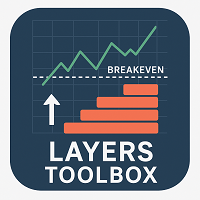
Kali Layers Toolbox
| 作者 | Calvin Andile Mahlangu |
| 版本 | v1.7 |
| 更新 | 9 四月 2026 |
| 激活数 | 63550 |
Kali Layers Toolbox – Smart Zone & Layered Trade Management Utility
Layers Toolbox is a very useful and smart MT4 utility EA designed for traders who want precision control over zone-based pending orders and break-even (BE) management.
Simply draw your trade zone on the chart, and the EA will automatically place multiple pending orders within that zone according to your settings.
It works for both single trades and grouped positions.
Main Features
- Place multiple pending orders inside a drawn trade zone.
- Auto break-even management for active layered trades.
- Break-even toggle directly on the panel.
- Shared SL/TP control for open trades.
- Quick close-all and delete-pending actions.
How BE Works
BE works per trade cluster created by the EA. For each buy or sell cluster, the EA calculates the lot-weighted average entry price.
When price moves BE_Start points in profit from that average price, the EA moves the stop loss for all orders in that cluster to the average entry price plus or minus BE_Offset points.
For buys, SL moves above the average entry. For sells, SL moves below the average entry. The EA only moves SL forward and does not worsen an existing better SL.
User Input Settings Explained
-
Number of pending orders – How many pending orders to place in your drawn zone.
-
Lot size per order – Volume of each order.
-
Pending order expiry (minutes) – Time before untriggered pending orders are removed.
-
Max points to group trades for BE – Distance in points to group trades for BE calculation.
-
BE Start – Points to activate BE.
-
Offset (points) when moving to BE – Extra points added beyond BE for a small profit cushion.
-
Max slippage (points) – Maximum allowed slippage when executing trades.
-
Show/Hide Zone distance - Toggle the display of the zone distance label directly on the chart. When enabled, it shows the distance between zones; when disabled, the label is hidden.
-
Top zone line/tag color - Set the color used for the upper (top) zone line and its label on the chart.
-
Bottom zone line/tag color - Set the color used for the lower (bottom) zone line and its label on the chart.
-
Zone line color – Customize the color of your zone lines for easier chart visibility.
-
Offset distance (points) – Determines the distance of the top and bottom zone lines from the mid-price; controls where pending orders are placed inside the zone.
安全须知
本产品仅通过 MQL5.com 官方渠道获取。其他渠道版本可能缺少完整功能和技术支持。
EA 配置
| 交易品种 | XAUUSD |
| 时间框架 | H1 (推荐) |
| 推荐经纪商 | IC Markets, IC Trading |
| 最低存款 | $300 / 0.01手 |
📸 截图预览