📝 产品详情
Switch Symbol Timeframe By Arrows MT4
| 作者 | Nguyen Thanh Sang |
| 版本 | v1.10 |
| 更新 | 2022-03-10T00:44:33 |
| 激活数 | 0 |
Switch symbols and timeframe by arrow buttons
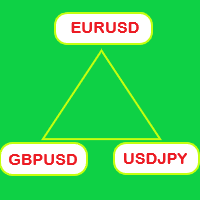
1. You can switch multiple symbols of one or all charts.
2. You can set list of symbols to switch between them or get them from Market Watch.
3. You can change timeframe of one or all charts. List of timeframes here [M1, M5, M15, M30, H1, H4, D1, W1, MN1].
Switch symbol of all charts: indicator check current symbol of the chart to get index of it in list and change for next or previous.
Key functions:
- Right arrow key: switch to next symbol.
- Left arrow key: switch to previous symbol.
- Up arrow key: change to higher timeframe.
- Down arrow key: change to lower timeframe.
安全须知
本产品仅通过 MQL5.com 官方渠道获取。其他渠道版本可能缺少完整功能和技术支持。
EA 配置
| 交易品种 | XAUUSD |
| 时间框架 | H1 (推荐) |
| 推荐经纪商 | IC Markets, IC Trading |
| 最低存款 | $300 / 0.01手 |
📸 截图预览