📝 产品详情
VisualTicksEA
| 作者 | Dariusz Grywaczewski |
| 版本 | v142.0 |
| 激活数 | 63550 |
Works ONLY on the VisualTicks chart.
Is a tool that lets you open and close transactions directly on the VisualTicks chart.
There is only one parameter in EA settings:
magic - next EA number. If you use more than one VisualTicks_EA on MT4, you must enter a different magic number.
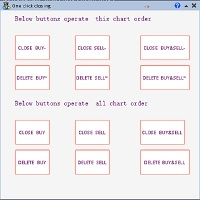
After starting VisualTicks_EA, the following buttons will appear on the chart:
Open BUY - opens one BUY transaction of a specified lot size.
Close BUY - closes all BUY transactions open on the chart.
Open SELL - opens one SELL transaction of a specified lot size.
Close SELL - closes all SELL transactions open on the chart.
Lot - window in which we enter the size lot.
Note: in the MT4 Terminal window you can also close transactions opened via VisualTicks_EA.
Note : Add EA to the chart when VisualTicks is already open. Not earlier.
Turn off EA first and then VisualTics. In that order.
Remember to always enter a different magic number when you turn on more than one EA at a time !!!
安全须知
本产品仅通过 MQL5.com 官方渠道获取。其他渠道版本可能缺少完整功能和技术支持。
EA 配置
| 交易品种 | XAUUSD |
| 时间框架 | H1 (推荐) |
| 推荐经纪商 | IC Markets, IC Trading |
| 最低存款 | $300 / 0.01手 |
📸 截图预览