📝 产品详情
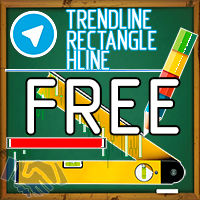
Drawing using keys and notification FREE
| 作者 | Sergei Poliukhov |
| 版本 | v2.0 |
| 更新 | 26 一月 2021 |
| 激活数 | 63550 |
Using hotkeys, you can create graphic objects of different drawing styles and different colors on the active chart. You can change the formatting styles for graphics.
You can choose default drawing styles, or set them in the advisor properties selection window. Going to the graph, when creating graphic objects, the color, line type and line thickness are selected automatically. Drawing styles for graphical objects will depend on the current timeframe where drawing will be performed.
Please watch the video where I will try to show the basic functionality.
The only difference between the free version and the paid one is that the free version can work only on 1 currency pair GBPUSD. FULL version
Keyboard shortcuts
key 0- Removes focus from all objects
key 1- Creates a "Horizontal line" object
key 2- Creates a "Rectangle" object
key 3- Creates a "Trend line" object
key \ - Removes all kinds of objects from the chart
key] - Deletes objects of type ""
key [- Deletes objects of type "Rectangle"
key \ - Removes all graphical objects from the chart (drawn only)
Keys q-o- Change the current timeframe
Creating a horizontal line and trend line
An example is presented in the video instructions.
Create a rectangle
Additional settings:
- automatic expansion of the rectangle for the future;
- changing the color of the rectangle when the price crossed the inner borders of the rectangle;
- the ability to choose - fill the rectangle with color or not.
Notification settings
Types of notifications:
-Telegram- sending notifications to your previously created chat in Telegram;
-Email- sending email notifications;
-Push notification to mobile device;
-Alert-notification in the form of a pop-up message.
If for some reason you create many objects at the same prices, only one notification will be sent. This is to avoid cluttering up your notification area.
If the text (keystroke legend) makes it difficult to see, you can turn it off in the settings.
Drawing using keys and notification doesn't work in Strategy Tester.
安全须知
本产品仅通过 MQL5.com 官方渠道获取。其他渠道版本可能缺少完整功能和技术支持。
EA 配置
| 交易品种 | XAUUSD |
| 时间框架 | H1 (推荐) |
| 推荐经纪商 | IC Markets, IC Trading |
| 最低存款 | $300 / 0.01手 |
📸 截图预览