📝 产品详情
VadineroLab MT4 Export Master to Exel JSON
| 作者 | Vadym Gapon |
| 版本 | v1.4 |
| 更新 | 9 十一月 2025 |
| 激活数 | 63550 |
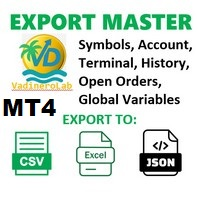
VadineroLab MT4 Export Master to CSV EXEL JSON - Expert Advisor for exporting and analyzing symbols, account, terminal parameters, active trades, current account state, trading history, global variables.
Generates the following report types:
* Symbols Parameters — spread, tick size, min/max lot, swap, …
* Account Parameters — balance, equity, leverage, currency, margin info, …
* Terminal Parameters — server, version, language, date, environment, …
* Trade History — orders, deals, positions, service, …
* Active Trades — open positions and pending orders, …
* Global Variables — user and system terminal variables, …
Features and capabilities:
* Customizable field set and order for each report
* Export to CSV files for analyzing in Excel with auto-filtering
* Export to JSON files
* File naming using tags for easy sorting and automation: %EA_ID%, %AccountName%, %YYYY%, %MM%, %DD%, %hh%, %mm%, %ss%, …
* Selectable save folder (shared or terminal directory)
* Configurable decimal separator for CSV files
* Automatic export on start or timeframe change
* Supports large historical periods (processing may take time)
* Fully compatible with MetaTrader- 4 and MetaTrader-5
Applications:
* Trade monitoring and audit
* Documenting and exporting trading history for strategy analysis
* Comparing EAs and trading strategies
* Integration into automated trading and analytics systems
Trade History and Record Types:
The Expert Advisor generates trade history reports, combining three types of records:
* order - orders, opening and closing positions;
* deal - individual trades;
* position - summary row for a closed position, created for each position, analogous to MetaTrader4 history.
* service - terminal service messages: deposits/withdrawals, rebates, bonuses, and others
For partial closures, separate position records are created, each reflecting a full or partial closure of a position.
Data for the position record is collected from the corresponding deal IN and OUT records and related orders.
Expert automatically refreshes report files in several cases:
* when the EA starts;
* when the chart timeframe is changed;
* and periodically, according to the specified auto-update interval.
This ensures that your CSV and JSON reports are always up-to-date and synchronized with your trading data.
Reports are saved to:
* local terminal folder: <Terminal_Data_Folder >\MQLX\Files\
* common terminal folder: C:\Users\UserName\AppData\Roaming\MetaQuotes\Terminal\Common\Files\ (accessible by all terminals)
Technical support, settings, changes, bug fixes and more can send an e-mail to vadinerolab@gmail.com
安全须知
本产品仅通过 MQL5.com 官方渠道获取。其他渠道版本可能缺少完整功能和技术支持。
EA 配置
| 交易品种 | XAUUSD |
| 时间框架 | H1 (推荐) |
| 推荐经纪商 | IC Markets, IC Trading |
| 最低存款 | $300 / 0.01手 |
📸 截图预览