📝 产品详情
Ultimate Panel Demo
| 作者 | Siwakon Poonsawat |
| 版本 | v2.1 |
| 更新 | 2015-09-01T12:51:28 |
| 激活数 | 63550 |
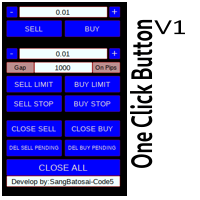
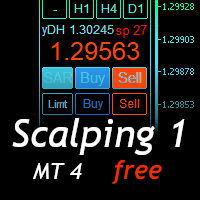
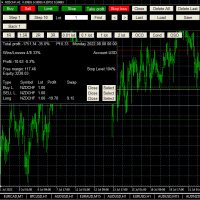
"All in one on Ultimate Panel" Helping in opening and manage orders with "one click trading" system.
Features
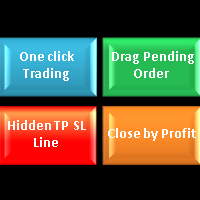
1. Speed Trading / One Click Trading.
- Just set Lot Size, Stop Loss,Take Profit level.
- Then click the "BUY!" / "SELL!" button.
- Order will open immediately.
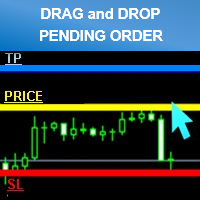
2. Drag line to place pending order.
- Just click "BUY LINE" or "SELL LINE" button.
- Then 3 horizontal lines will appear on the chart (Price,Stop Loss,Take Profit line)
- Drag lines to define open price, stop loss, take profit values.
- Then click the "PLACE ORDER" button.
- The EA will open pending orders at that line automatically.
- And EA will automatic detect types of pending order (Limit and Stop).
3. Order Control , Risk Management.
- All order will automatically closes when profit,loss is reached by amount of your money setting on chart
Example:
- If you setting "close if profit" = 100 on EURUSD chart : When all your opening order have reached profit => 100$ : All opening orders will close immediately.
- If you setting "close if loss" = -50 on EURUSD chart : When all your opening order have reached loss => 50$ : All opening orders will close immediately.
4. Hidden Stop Loss and Take Profit line.
- After order opened. Just click the "ACTIVE!" button
- Then 2 horizontal lines will appear on the chart (stop-loss and take profit line)
- You can move lines with your mouse easily.
- Can set distance low even 1 point.
- Brokers will not see these lines and your trades will be automatic closed at these lines.
- This function can be use one order per chart/currency.
Input Parameters.
- Default Lot Size : Setup default lot size of EA panel.
- Default Take Profit : Setup default take profit level of EA panel.
- Default Stop Loss : Setup default stop loss level of EA panel.
- Order Control Active : On/Off Close If Profit and Close If Loss function.
- Default Close If Profit : Order will automatically closes when profit reached by amount of your money setting.
- Default Close If Loss : Order will automatically closes when loss reached by amount of your money setting.
- Default Hidden TP : Setup default hidden take profit line level of EA panel.
- Default Hidden SL : Setup default hidden stop loss line level of EA panel.
- Line Width : Set default horizontal line width for pending order line dragging.
- All Currency Mode : If = "True" Close if Profit / Close if Loss / Close All Button / Delete Pending Order Button / function will affect to every currency every order are opening , If ="False" function will affect only chart that ea running on.
- Auto Chart Shift : Automatic shift chart and remove grid.
- Background Color : Set background color of EA panel.
- Magic Start: Set magic number for all orders opened by the EA. You should set it with a unique number if you run another EA on your account at the same time.
安全须知
本产品仅通过 MQL5.com 官方渠道获取。其他渠道版本可能缺少完整功能和技术支持。
EA 配置
| 交易品种 | XAUUSD |
| 时间框架 | H1 (推荐) |
| 推荐经纪商 | IC Markets, IC Trading |
| 最低存款 | $300 / 0.01手 |
📸 截图预览