📝 产品详情
Expert Load Major 28pairs Historical Data
| 作者 | Wang Yu |
| 版本 | v2.1 |
| 更新 | 2016-05-30T15:51:02 |
| 激活数 | 63550 |
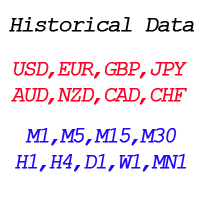
By applying this expert onto any char window, you are able to force download the historical data upon all time-frame (PERIOD_M1, PERIOD_M5, PERIOD_M15, PERIOD_M30, PERIOD_H1, PERIOD_H4, PERIOD_D1, PERIOD_W1, PERIOD_MN1) of 28 major pairs. The 28 major pairs are the combination of the 8 major currencies.
8 major currencies
"USD", "EUR", "GBP", "JPY", "AUD", "NZD", "CAD", "CHF"
28 pairs
"AUDCAD","AUDCHF","AUDJPY","AUDNZD","AUDUSD","CADCHF","CADJPY"
"CHFJPY","EURAUD","EURCAD","EURCHF","EURGBP","EURJPY","EURNZD"
"EURUSD""GBPAUD","GBPCAD","GBPCHF","GBPJPY","GBPNZD","GBPUSD"
"NZDCAD","NZDCHF","NZDJPY","NZDUSD","USDCAD","USDCHF","USDJPY"
You have the ability the add prefix and suffix to the symbol in the expert parameter input window. For example, if your broker's symbol is "EURUSDf" instead of "EURUSD", you should key in 'f' in the suffix input cell and leave the prefix blank as shown in the screenshot 1.
Once you have successfully load the expert, you can check the progress of data loading in the experts window as shown in screenshots 2. Once data of all pairs have been loaded, expert will send message like "ForceLoadHistoricalData: failed: none" as shown in screenshot 3.
Sometimes this expert would fail to load one or two pair(s), you can remove and re-load the expert to get all historical data downloaded.
安全须知
本产品仅通过 MQL5.com 官方渠道获取。其他渠道版本可能缺少完整功能和技术支持。
EA 配置
| 交易品种 | XAUUSD |
| 时间框架 | H1 (推荐) |
| 推荐经纪商 | IC Markets, IC Trading |
| 最低存款 | $300 / 0.01手 |
📸 截图预览