📝 产品详情
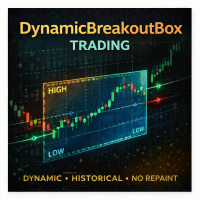
DynamicBreakoutBoxTrading
| 作者 | Irina Cherkashina |
| 版本 | v2 |
| 激活数 | 5 |
| 原价 | $60 USD |
DynamicBreakoutBoxTrading is a professional breakout-box indicator for MetaTrader that automatically detects “congestion zones” (price compression ranges) and builds a breakout box around them. The box expands forward in time until price breaks out, then the indicator prints breakout levels, optional continuation box, take-profit projections, and trade-signal arrows.
The main goal is to provide a clean, objective structure for range → breakout → continuation workflows, suitable for both manual trading and EA integration via indicator buffers.
How the box is built (Core Logic)
-
Choose the working timeframe for the box
The box can be calculated on a dedicated timeframe ( BoxTimeFrame ) even if your chart is different. -
Detect a “congestion zone” dynamically
The indicator searches for the minimal number of bars (but not less than the configured minimum) where the High–Low range remains below a specified threshold (Box Range).
-
If the range stays “small enough”, it is considered a congestion zone.
-
When the range grows beyond the threshold, the congestion zone ends.
-
Breakout levels (BO lines) + buffer
-
The raw congestion zone edges define the breakout area.
-
BoxBufferPips shifts breakout trigger lines away from the box edges for cleaner entries and fewer false breakouts.
-
Breakout confirmation
You can require N bars closed outside the breakout level before the signal is printed:
-
MinBarsClosedOutsideBO = 0 → signal immediately on first breakout
-
MinBarsClosedOutsideBO >= 1 → signal after N closes outside BO
-
Targets (TP levels)
Optional TP projections are displayed using:
-
Factor-based targets (multipliers of the box size), OR
-
Fixed pips targets (absolute pips from the entry)
The mode is automatically selected per TP using the TP_is_pips_above threshold (explained below).
Signals and EA usage
The indicator can print BUY/SELL arrows when breakout conditions are satisfied.
It also provides EA-ready buffers (via iCustom ) so you can read signals programmatically.
Optional notifications:
-
Popup alert
-
Sound
-
Push notification
-
Email
(with built-in cooldown protection to avoid alert spam)
Inputs (All Parameters Explained)
A) Box Detection
-
BoxLength
Minimum congestion duration in “BoxTimeFrame bars”. Higher value → fewer but stronger boxes. -
BoxTimeFrame
Timeframe (in minutes) used to calculate boxes (e.g., 15 = M15). Set to 0 to use current chart timeframe. -
BoxRange
Congestion threshold (in pips). Smaller → tighter boxes, more frequent signals. Larger → wider boxes, fewer signals. -
AutoBoxRange
If true, the box size is calculated dynamically from Daily ATR instead of fixed BoxRange . -
AutoBoxRangeDailyATRperiod
ATR period on D1 used for automatic range calculation. -
AutoBoxRangeDailyATRfactor
Multiplier applied to Daily ATR to obtain dynamic BoxRange (volatility-adaptive). -
BoxBufferPips
Distance (pips) between the real box edges and breakout trigger lines (BO lines). Helps filter noise. -
DaysBack
How many days of history to scan and draw boxes for.
B) Breakout Confirmation / Entry Logic
-
MinBarsClosedOutsideBO
Number of fully closed bars that must close outside the breakout level to trigger a signal.
0 = enter immediately on breakout.
C) Display / Panel / TP Levels
-
ShowDisplayPanel
Shows/hides the information panel (if enabled in this build). -
ShowTPLevels
Enables TP projections on the chart. -
ShowTPLevelsOnLastBoxOnly
If true, TP levels are drawn only for the most recent box (cleaner chart). -
TP1 … TP9
Target values. Each TP can be interpreted in two ways (see TP_is_pips_above below). -
TPLevelColor
Color of TP/Fibo levels. -
TP_is_pips_above
Threshold that defines how TP values are interpreted:-
If TPx < TP_is_pips_above → TPx is treated as a factor of box size (e.g., 0.618, 1.382, 2.618, etc.)
-
If TPx >= TP_is_pips_above → TPx is treated as fixed pips from entry (absolute pips target)
-
D) Signal Arrows (Visual)
-
BuySignalArrowCode / SellSignalArrowCode
Wingdings arrow codes used for signals. -
BuySignalArrowColor / SellSignalArrowColor
Arrow colors.
E) Alerts / Notifications
-
SignalMail
Send email on a new signal. -
SignalAlert
Show popup alert on a new signal. -
SignalSound
Play sound on a new signal. -
SignalSoundFile
Sound file name (e.g., alert.wav ) placed in the terminal sounds folder. -
SignalPush
Send push notification to MetaQuotes ID. -
SignalCooldownSec
Cooldown (seconds) to prevent repeated alerts for the same breakout.
F) Statistics / Export
-
CreateStatisticsFile
If true, the indicator creates/updates a CSV statistics file (for analysis).
G) Styling / Colors / Objects
-
BreakoutBoxFontSize
Font size for box labels. -
BreakoutBoxColor
Main box color. -
BreakoutBoxContColor
Continuation box color. -
BreakoutBoxContFullColored
If true, continuation box is fully colored. -
BreakoutBoxContPriceColor
Color of continuation box price labels. -
BreakoutPriceColor
Color of breakout price labels/lines. -
BreakoutPriceWidth
Thickness/visibility of breakout price labels/lines. -
StatsColor / StatsBGColor
Panel text/background colors. -
StatsCorner
Panel corner location (0..3). -
BoxVerticalLineDelimiter
Draws vertical delimiters for boxes (optional). -
BoxVerticalLineColor
Color of vertical delimiters. -
SwingLabelsFontSize / SwingLabelsColor
Swing/label styling (if enabled in your build). -
Fonts
Font name (e.g., Arial). -
debug
Debug mode (0 = off). Use only for troubleshooting.
Notes
-
Works on any symbol (including CFDs and metals) and timeframe.
-
Breakout confirmation and volatility-adaptive range make it suitable for both conservative and aggressive breakout styles.
-
EA-ready buffers allow integration into automated strategies via iCustom .
安全须知
本产品仅通过 MQL5.com 官方渠道获取。其他渠道版本可能缺少完整功能和技术支持。
EA 配置
| 交易品种 | XAUUSD |
| 时间框架 | H1 (推荐) |
| 推荐经纪商 | IC Markets, IC Trading |
| 最低存款 | $300 / 0.01手 |
📸 截图预览