📝 产品详情
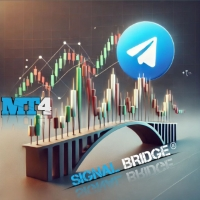
Trade Signal Pro MT4 to Telegram Signal Provider
| 作者 | Bidhan Chandra Roy |
| 版本 | v2.80 |
| 激活数 | 5 |
| 原价 | $75 USD |
Trade Signal Pro (MT4) — Telegram Signal Provider (Utility)
A lightweight utility that sends trade notifications from your MT4 account to Telegram.
It does NOT open/close trades. It only reads positions/deals and sends messages.
What it sends
✅ Entry signal (BUY/SELL) with Entry, SL, TP, pips + Risk:Reward
✅ Updates when SL/TP is modified (reply/tag to the original signal)
✅ Close notifications: TP hit / SL hit / Breakeven / Manual close
✅ Optional Daily & Weekly performance summary (wins/losses/breakeven + pips)
✅ Entry & Exit Screenshots (By default turn off)
✅ Lot Size & Profit Loss (By default turn off)
Key Features
- -Entry sending modes</b>
- - Send only after BOTH SL+TP are set (default – 1 clean message)
- - Send after SL OR TP is set
- - Send immediately at entry
• Update messages (optional)
- Sends “SL/TP UPDATED” and replies to the original entry message (Telegram thread style)
• Close messages (optional)
- Sends close reason: TP / SL / Breakeven / Manual close
- Optional: show Profit/Loss in account currency
- Optional: show Lot size in messages
• Screenshots (optional)
- Entry screenshot (chart must already be open)
- Exit screenshot (chart must already be open)
- Exit screenshot can include: entry/exit arrows + dotted entry→exit line (optional)
• Multi-symbol mode
- Default: attach on any chart and it will track all symbols
- Optional: CSV symbol filter to send only selected symbols
• Duplicate protection
- Prevent duplicate signals for the same position_id
- Lock keeps for N days (default 7)
• Symbol pip accuracy
- XAU/XAG pip overrides (optional global shared settings)
- Crypto pip override mode (BTC/ETH/etc), customizable list
• Daily / Weekly Summary (optional)
- Sends results at your chosen server-time hour/minute
- Can catch up missed summaries after restart (recommended)
How to setup (MT4)
1) Create a Telegram Bot via @BotFather and copy the <b>BOT TOKEN</b>
2) Create a Telegram channel/group and add your bot as <b>Admin</b>
3) Put your channel username like <code>@YourChannel</code> or chat_id like <code>-100xxxxx</code>
4) In MT5: Tools → Options → Expert Advisors → enable WebRequest for:
<code>https://api.telegram.org</code>
5) Attach the utility to any chart (Multi-symbol mode is ON by default)
Inputs (Important)
Telegram
• Telegram Bot Token
• Chat ID or @Channel
• WebRequest timeout
• Disable web preview
Global Switch
• Turn Off Sending Signal = stops ALL Telegram messages instantly
Message Options
• Show Lot Size in Telegram (ON/OFF)
• Show Profit/Loss in Close message (ON/OFF)
Screenshots (chart must already be open)
• Send ENTRY screenshot (ON/OFF)
• Send EXIT screenshot (ON/OFF)
• On EXIT screenshot: draw entry/exit arrows + dotted line (ON/OFF)
• Lookback days to find entry deal
• Arrow codes (Wingdings)
• Screenshot quality: 1080p / 2K / 4K / Custom
Entry Sending Mode
• After BOTH SL+TP (default) / After SL OR TP / Immediately
Close / Updates
• Send close messages (ON/OFF)
• Send SL/TP updated messages (ON/OFF)
• Catch up missed close messages after restart (ON/OFF)
• Breakeven tolerance in pips
• Poll interval seconds
Filters & Pip settings
• CSV symbols filter (empty = all)
• XAU pip override / XAG pip override
• Crypto pip override + crypto bases list
• Multi chart mode (works on all trades)
Global XAU/XAG settings
• Use global XAU/XAG pips
• Save this chart’s XAU/XAG override to global
Duplicate Protection
• Prevent duplicate signals
• Keep lock for N days
Summary
• Daily summary ON/OFF
• Weekly summary ON/OFF
• Summary time hour/minute (server time)
• Catch up missed summaries after restart (recommended)
Notes
• For screenshots: the symbol chart must already be open (the utility does not auto-open charts).
• Telegram delivery depends on your internet/VPS and Telegram availability.
Support
Support is provided via MQL5 product comments and MQL5 private messages.
安全须知
本产品仅通过 MQL5.com 官方渠道获取。其他渠道版本可能缺少完整功能和技术支持。
EA 配置
| 交易品种 | XAUUSD |
| 时间框架 | H1 (推荐) |
| 推荐经纪商 | IC Markets, IC Trading |
| 最低存款 | $300 / 0.01手 |
📸 截图预览