📝 产品详情
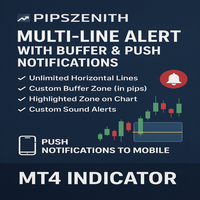
Multi Line Alert with Buffer and Push notification
| 作者 | Hozeifa M Haji |
| 版本 | v1.0 |
| 激活数 | 5 |
| 原价 | $59 USD |
Originally shared as a free community tool, this upgraded version is now available on the MQL Market for traders who want professional-grade alerts without sitting in front of the screen all day.
With this indicator, simply place horizontal lines on your chart — the indicator will automatically track them, highlight your chosen buffer zone, and notify you the moment price approaches your level.
Whether you’re trading support/resistance, session levels, or psychological round numbers, this tool ensures you never miss your setup.
? Key Features
-
Unlimited Horizontal Lines
Add as many horizontal lines as you need. The indicator automatically monitors all of them. -
Custom Buffer Zone (in pips)
Define a safety zone around your line. Example: with BufferPips = 10 , the tool will trigger alerts when price comes within ±10 pips. -
Highlighted Zone on Chart
A shaded rectangle visually marks the buffer area, so you can easily track when price is approaching. -
Custom Sound Alerts
Choose any .wav file from your MT4 Sounds folder to play when an alert fires. -
Popup Alerts
Get instant MT4 popups with symbol, price, and line level. -
Push Notifications to Mobile ?
Enable MobilePush = true to receive alerts directly on your MetaTrader mobile app (iOS/Android). Stay informed anywhere, anytime.
⚙️ Inputs
-
RepeatAlert → true/false (decide if alerts repeat or only trigger once per cooldown).
-
BufferPips → zone in pips (default: 10).
-
ZoneColor → highlight rectangle color.
-
SoundFile → choose alert sound (default: alert.wav).
-
MobilePush → true/false (enable push alerts to phone).
? How to Enable Push Notifications
-
In MT4: go to Tools → Options → Notifications.
-
Tick Enable Push Notifications.
-
Enter your MetaQuotes ID (found in your MetaTrader mobile app under Settings → Messages).
-
Click Send Test Message to confirm.
From then on, when the indicator triggers you’ll receive:
✔ Popup on PC
✔ Sound on PC
✔ Push notification on mobile
? Example Use Cases
-
Mark important support/resistance zones.
-
Track session opens or round numbers (e.g., 1.1000).
-
Get notified the second price comes near your setup.
? Installation
-
Copy the file into MQL4/Indicators/ .
-
Restart MT4 or refresh Navigator.
-
Attach the indicator to your chart.
-
Place horizontal lines and relax — the alerts will do the work.
✅ Designed for traders who value precision and convenience.
✅ Built with community feedback in mind.
✅ Free version was loved by many — this improved edition is now optimized for professional use.
安全须知
本产品仅通过 MQL5.com 官方渠道获取。其他渠道版本可能缺少完整功能和技术支持。
EA 配置
| 交易品种 | XAUUSD |
| 时间框架 | H1 (推荐) |
| 推荐经纪商 | IC Markets, IC Trading |
| 最低存款 | $300 / 0.01手 |
📸 截图预览