📝 产品详情
TradeMngr
| 作者 | Edgar Enrique Retontali |
| 版本 | v1.0 |
| 激活数 | 10 |
| 原价 | $30 USD |
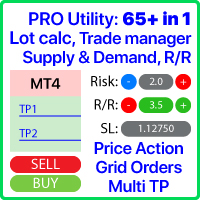
TradeManager 1.0 is an Expert Advisor for MetaTrader 4 y 5 that streamlines real-time trade management. Through a graphical control panel, you can send market and pending orders, move stop losses to breakeven, and automatically calculate position size based on your risk settings. Below is a comprehensive overview of its features and input parameters.
Key Features
-
Market Orders & Pending Orders
-
BUY/SELL Buttons: Instantly open long or short positions at market.
-
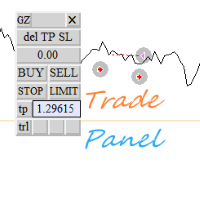
BUY STOP / SELL STOP / BUY LIMIT / SELL LIMIT Buttons: Draw interactive horizontal lines on the chart for entry, stop loss, and take profit. Adjust visually, then confirm with “PLACE PENDING ORDER” to submit the pending order.
-
-
Risk Management and Auto Lot Sizing
-
RiskType: Choose how the lot size is determined:
-
Lots: Use a fixed lot size ( FixedLots ).
-
Percentage: Calculate lot size as a percentage of account equity or a base amount.
-
-
AmountForCalculation: Select the base used for risk calculations:
-
CurrentBalance (live account balance)
-
BaseAmount (a fixed value entered in TotalAmountInMoney )
-
-
RiskPercent: When RiskType=Percentage , specify the percentage of the account to risk per trade (e.g., 1.0 for 1 %).
-
RiskReward: Defines the Risk:Reward ratio. For example, if RiskReward=3.0 and SL is 50 pips, TP will be 150 pips.
-
CalculateAdjustedLotSize: Computes the optimal lot size to risk the specified amount (fixed or percentage), respecting the broker’s minimum/maximum volume rules.
-
-
Configurable Stop Loss and Take Profit
-
StopLoss (in points): If > 0, the EA calculates the SL price as EntryPrice ± StopLoss * _Point .
-
When both StopLoss > 0 and RiskReward > 0 , the TP is computed as EntryPrice ± (StopLoss × RiskReward) × _Point .
-
The EA automatically enforces minimum distance requirements ( SYMBOL_TRADE_STOPS_LEVEL and SYMBOL_TRADE_FREEZE_LEVEL ) before sending any order to satisfy broker constraints.
-
-
“BREAKEVEN” Button
-
Clicking “BREAKEVEN” loops through all open positions for the current symbol with the specified MagicNumber , then moves each SL to OpenPrice ± 1 pip (depending on BUY or SELL), provided the trade is in profit and meets the broker’s minimum distance.
-
-
Quick-Close Buttons
-
CLOSE THIS: Closes all open positions for the current chart’s symbol (filtered by MagicNumber ).
-
CLOSE ALL: Closes all open positions on all symbols (filtered by MagicNumber or closes everything if MagicNumber=0 ).
-
CloseDeletePendingOrders: When set to true , both “CLOSE THIS” and “CLOSE ALL” also delete any pending orders that share the same MagicNumber .
-
-
Adjustable Magic Number
-
MagicNumber: Uniquely identifies orders and positions belonging to this EA. Allows running multiple instances of TradeManager on different charts or symbols without interference.
-
-
Intuitive Graphical Interface
-
A pop-up panel titled “TradeManager 1.0” appears on the chart with color-coded buttons (red for closes, blue for market orders, fuchsia/blue for pending orders, yellow for breakeven).
-
Pending order setup objects (horizontal lines and labels) are drawn live on the chart; simply drag to adjust prices before confirming the order.
-
| Variable | Description | Example Value |
|---|---|---|
| RiskType | Lot sizing method. Lots = fixed lot; Percentage = percentage of account. | Percentage |
| AmountForCalculation | Base for risk calculation. CurrentBalance = real-time account balance; BaseAmount = fixed amount ( TotalAmountInMoney ). | BaseAmount |
| TotalAmountInMoney | The fixed base amount (in account currency) used for risk calculations when AmountForCalculation=BaseAmount . | 100000.0 |
| FixedLots | Fixed lot size (if RiskType=Lots ). | 0.05 |
| StopLoss | Stop loss in points for automatic SL and TP calculation (0 = disabled). | 200 |
| CloseDeletePendingOrders | If true , the close-buttons will also delete any pending orders; if false , they close only active positions. | true |
| MagicNumber | Unique identifier to tag orders/positions created by this EA. | 777665 |
| RiskPercent | Percentage of the account to risk per trade when RiskType=Percentage (1.0 = 1 %). | 1.0 |
| RiskReward | Risk:Reward ratio. E.g. 3.0 to target a 1:3 reward. | 3.0 |
| PendingOrderOffsetPoints | Initial distance (in points) from the current price for placing BUY/SELL STOP/LIMIT orders. | 200 |
How to Get Started
-
Installation & Attaching
-
Copy the compiled file TradeManager.ex4 into ...\MQL4\Experts\ .
-
In MetaTrader 4, drag “TradeManager 1.0” onto a chart or right-click → “Expert Advisors” → “Add to Chart”.
-
-
Configure Inputs
-
In the Inputs tab of the Properties window, set:
-
RiskType (Lots or Percentage) depending on whether you want fixed lots or percentage-based sizing.
-
AmountForCalculation to choose between using live equity or a fixed base amount ( TotalAmountInMoney ).
-
Adjust RiskPercent , RiskReward , StopLoss , FixedLots , and MagicNumber as needed.
-
-
-
Use the Control Panel
-
BUY/SELL: Open immediate market orders with SL and TP calculated per your settings.
-
BUY STOP / SELL STOP / BUY LIMIT / SELL LIMIT: Initiate pending order setup, drag the lines on the chart to your desired price levels, and then click “PLACE PENDING ORDER” to send the order.
-
BREAKEVEN: Move the SL of all open positions on this symbol to breakeven (+1 pip) once they are in profit.
-
CLOSE THIS: Close all open positions for the current symbol and (optionally) delete pending orders if CloseDeletePendingOrders=true .
-
CLOSE ALL: Close all open positions on all symbols and (optionally) delete all pending orders.
-
Benefits of TradeManager 1.0
-
Speed & Precision: Open or close trades with a single click—no need to manually type orders.
-
Integrated Risk Management: Auto-compute position size based on your capital and specified risk.
-
Visual & Interactive: Configure pending orders by dragging lines directly on the chart, viewing SL, TP, and risk information in real time.
-
Multi-Instance Friendly: Use different MagicNumber values to run independent instances of TradeManager on multiple charts or symbols.
-
Broker-Compliant: Automatically respects minimum stop and freeze-level requirements, avoiding order rejections.
安全须知
本产品仅通过 MQL5.com 官方渠道获取。其他渠道版本可能缺少完整功能和技术支持。
EA 配置
| 交易品种 | XAUUSD |
| 时间框架 | H1 (推荐) |
| 推荐经纪商 | IC Markets, IC Trading |
| 最低存款 | $300 / 0.01手 |
📸 截图预览