📝 产品详情
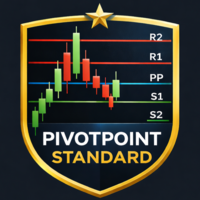
PivotPoint Standard
| 作者 | Karmel Abbas |
| 版本 | v1.0 |
| 更新 | 2024-10-20T19:10:22 |
| 激活数 | 5 |
| 原价 | $30 USD |
Pivot Point Indicator for MetaTrader 4 (MT4)
Overview
The Pivot Point Indicator calculates daily, weekly, and monthly pivot points and plots key support and resistance levels on your charts. This indicator helps traders identify potential reversal points and key areas of interest for price action, making it a valuable tool for both short-term and long-term trading strategies.
Key Features
- Daily, Weekly, and Monthly Pivot Points: Easily switch between daily, weekly, and monthly pivot points by adjusting a parameter value.
- Support & Resistance Levels: Displays support (S1, S2, S3) and resistance (R1, R2, R3) levels on the chart.
- Customization: Allows traders to adjust how the levels are displayed (line styles, colors, etc.).
Installation Instructions
-
Download the Indicator: Once you purchase the indicator from MQL5, download the .mq4 file.
-
Copy to MetaTrader 4:
- Open your MT4 platform.
- Click on File in the top-left corner.
- Select Open Data Folder.
- In the Data Folder, navigate to MQL4 > Indicators .
- Copy the downloaded .mq4 file into this folder.
-
Activate the Indicator:
- Restart your MT4 platform.
- In the Navigator window, under Indicators, find your Pivot Point indicator.
- Drag and drop it onto any chart to activate it.
Usage & Customization
-
Apply the Indicator to a Chart:
- After dragging the indicator to a chart, you’ll see the daily pivot point (P) along with three support (S1, S2, S3) and three resistance (R1, R2, R3) levels.
-
Switch Between Daily, Weekly, and Monthly Pivot Points:
- To change between daily, weekly, and monthly pivot points:
- Open the Inputs tab when applying the indicator.
- Change the Timeframe parameter:
- 1 for Daily Pivot Points
- 2 for Weekly Pivot Points
- 3 for Monthly Pivot Points
- To change between daily, weekly, and monthly pivot points:
-
Adjust Settings:
- You can customize the appearance of the lines by right-clicking on the chart, selecting Indicators List, and then choosing your Pivot Point indicator. From here, you can adjust line colors, thickness, and styles to fit your preferences.
-
Trading Tips:
- Pivot Points are commonly used by traders to identify potential reversal zones. When the price approaches the pivot point or one of the support/resistance levels, traders may look for signs of a reversal or continuation, depending on other technical indicators or price action patterns.
Support and Contact
For any questions or support, feel free to contact me via MQL5 messaging.
安全须知
本产品仅通过 MQL5.com 官方渠道获取。其他渠道版本可能缺少完整功能和技术支持。
EA 配置
| 交易品种 | XAUUSD |
| 时间框架 | H1 (推荐) |
| 推荐经纪商 | IC Markets, IC Trading |
| 最低存款 | $300 / 0.01手 |
📸 截图预览