📝 产品详情
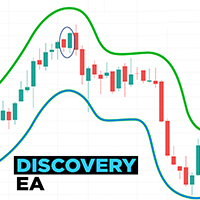
Discovery EA
| 作者 | James Seal |
| 版本 | v1.0 |
| 更新 | 2023-08-07T19:48:18 |
| 激活数 | 10 |
| 原价 | $500 USD |
Discovery EA is a fully automated Expert Advisor that works on all Forex pairs and once installed requires very little from the user, but is perfect for the more advanced trade too due to it's many features.
The EA is based upon the channel system but uses the channel twice to generate the signal to start trading. The 1st channel uses the higher timeframe to generate the direction of the trade (Buy or Sell), similar to a trend direction, then the 2nd channel uses a lower timeframe to generate the signal to start trading. Only when both the higher and lower timeframe signals are in agreement does a trade start. Discovery EA is fully customisable should you wish to try your own settings. but set files are provided to start trading.
Due to the stringent requirements to start a trade sometimes there can be time without a trade starting and that is why it can be used over multiple currency pairs at the same time. But DO NOT apply to every currency pair - choose your currency pairs. Please see the live signal for working suggestions to start you off.
The trading options are flexible and can either be a single trade or a grid with or without lot multiplier.
There are added security measures for safer trading:-
- The EA will close all positions on a each currency pair when it reaches a certain level of loss (the level of loss can be changed in the EA),
- There is a time setting for how long the lower timeframe has to generate a signal before the higher timeframe becomes invalid and then the EA starts searching for a trade all over again.
To test Discovery EA, you will need to test each currency pair individually and then combine these results to work out the true potential of this EA.
For Live Signals and Products visit the page: - https://www.mql5.com/en/users/jims99/seller
Set Files - A full list of set files will be given on the comments page - so there is no need to alter the settings whatsoever just update with the correct set files and start trading.
But for those of you who wish to change / adapt the settings to your requirements please see the list of settings below.
Settings (if a setting is repeated on the EA it will not be repeated here)
Channel width - to increase the width of the channel
Max. Lookback Bars (0 = Unlimited) - the max. bars that the built in indicator is allowed to lookback and find a signal at the first run to prevent slow loading
Channel History Calculation - how many bars of history are used to generate the channel
Live or Closed Bar - Is the signal generated when the bar is closed (finished) or during a Live bar
Use Timeframe - True / False - if you do not want to use the higher timeframe option it can be turned off by setting to False
Valid Time of Signal (0 = not use), min - is a time setting (in minutes) for how long the lower timeframe has to generate a signal from when the higher timeframe signal is generated before the higher timeframe becomes invalid and then the EA starts searching for a trade all over again
Time Start - When active trading can start for the day
Time End - When active trading finished for the day
Max Orders - the maximum number of orders placed by the EA on that currency pair
Distance, pips - If you choose more than 1 max order then this is the distance between orders
Take Profit, pips - The amount of profit
Stop Loss, pips - The amount of stop loss
Slippage, pips - The allowable amount of slippage before a trade wont be placed
Max Certain Loss of all grids, % balance - When this percentage is reached all orders on that currency pair is closed
Initial Lot - The starting lot size
Use Money Management - True or False for the next setting % from equity
% from equity - The starting lot is worked out on this % of the equity of the balance of the account
Lot multiplier - The next trade size will be the previous trade size multiplied by this figure
Max Lot - The maximum size of any single trade
Order Comment - The name of the EA
Magic number - A unique number to distinguish between other EA's active on your platform
Use Trailing Stop - True or False
Start Point, pips - The number of pips before the Trailing stop starts
Trailing Step, pips - The amount of the price has to move before the Trailing Stop moves
Trailing Value, pips - The gap from the price to the latest Trailing Stop
Show Statistic - True or False - You can either show or hide the relevant statistics for that currency pair on the chart
Show Close Buttons - True or False - You can manually close all the orders if you so wish by clicking on Close Buy or Close Sell or Close All - these buttons can be shown or hidden
安全须知
本产品仅通过 MQL5.com 官方渠道获取。其他渠道版本可能缺少完整功能和技术支持。
EA 配置
| 交易品种 | XAUUSD |
| 时间框架 | H1 (推荐) |
| 推荐经纪商 | IC Markets, IC Trading |
| 最低存款 | $300 / 0.01手 |
📸 截图预览