📝 产品详情
Easy Trade Manager MT5
| 作者 | Anoop Sivasankaran |
| 版本 | v27.5 |
| 更新 | 2020-04-10T10:01:47 |
| 激活数 | 5 |
| 原价 | $30 USD |
Thank you users for all your great reviews !
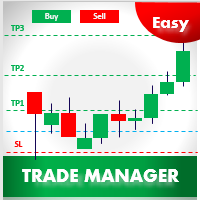
- Enter the Risked Amount or Lot size or % of Balance (New!)
- Drag the RED line on the chart to fix the Stop-Loss.
- Drag Blue line (New!) for Limit/Stop orders automatically !
- Adjust TP1, TP2 and TP3 lines
- You are ready to Buy/Sell > Adjust the lines even after the trade
- Reviews - https://tinyurl.com/etmreviews
- Check the user video - https://tinyurl.com/etmmt4ea
Automatic Breakeven TP1/2 | Book Part/Partial Profit TP1-TP2 | Automatic Magic Trail TP1/2 | Trade with fixed Amount or Lot Size or % Balance |Automatic lot | All orders are hidden ( so you will not see it until it is executed!) | Hidden features for scalping
- Buy/Sell! TP1,2,3 and lot size will be done based on your preference.
- New Magic Trail option will automatically sense market volatility and adjust/trail your TP3! try it!
- All the levels you set are hidden from the broker so the broker will only see it after execution!
- Risk Setting = Select > Fixed Amount or Fixed Lot or % Balance - New!
- Amount Risked = 100 - Means $100 to be risked per trade ( Can be any currency )
- % of Balance = % of Balance to be risked. Eg.2% - New!
- Fixed Lot Size = Lot Size to be risked. Eg 0.1 Lots - Make sure Risk Setting = Fixed Lot
- Limit Order = True/False - True for enabling Limit/Stop Orders ; False for market orders
Stop-loss Settings - Define Stop-loss, Lot Size and when to breakeven
- SL Value = 10.0 means stop-loss will 10 pips
- Set Breakeven = TP1 or TP2 - Means trades will be set to breakeven after TP1 is booked > 2 New unique hidden features for Breakeven!
- Use Hidden Stop-loss = True/False - True means hidden SL will be used
- Unique Stop-loss Assist Features (Download to know more)
Profit Booking Settings - How much to partial close & What levels to close
- TP1 = 50 - TP1 % Percentage of Lots/Amount to be booked at TP1 - 50 means 50%
- TP2 = 40 - TP2 % Percentage of Lots/Amount to be booked at TP2 – 40 means 40% ( TP3 will automatically be 10% )
- TP Setting = Pips - enter pips below or Use Ratios - Eg 1:1 so if SL is 10 pips, TP1 will 10 pips
- TP1 = 20.0 - 1st Take Profit ;Eg. 20.0 means 20 pips if TP setting=pips,Ratios - 1.0 means automatically calculate 1:1 so if SL is 10 pips,TP1 will 10 pips
- TP2 = 40.0 - 2nd Take Profit ;Eg. 40.0 means 40 pips if TP setting=pips,Ratios - 2.0 means automatically calculate 1:2 so if SL is 10 pips,TP2 will 20 pips
- TP3 = 80.0 - 3rd Take Profit ; 80.0 pips if TP setting=pips, Ratios - 3.0 means automatically calculate 1:3 so if SL is 10 pips, TP3 will 30 pips
Trail Settings - When to Trail & How to Trail
- Trail Profit Start = Start when to Trail profit from TP1 or TP2 or Order Open Price - Tricks to Scalp!
-
Trail Type = Magic Trail Slow = Use for Long Term trades ; Magic Trail Fast = Use for short term trades ; No trail
Trade Settings - Conditions used for the Trades
- Slippage allowed = 3 - This means maximum slippage allowed will be 3
- Add Spread = True/False - Used to add spread to TP/SL automatically
- Order Comments = Used for updating comment
Easy Trade Manager automated Version to virtually manage trades > Easy Virtual Trader - https://www.mql5.com/en/market/product/42804
Easy Virtual Trader Video - https://www.youtube.com/watch?v=3DNd_TCCOVE
安全须知
本产品仅通过 MQL5.com 官方渠道获取。其他渠道版本可能缺少完整功能和技术支持。
EA 配置
| 交易品种 | XAUUSD |
| 时间框架 | H1 (推荐) |
| 推荐经纪商 | IC Markets, IC Trading |
| 最低存款 | $300 / 0.01手 |
📸 截图预览