📝 产品详情
KopirMT5 Full
| 作者 | Alexandr Gavrilin |
| 版本 | v5.53 |
| 更新 | 2019-07-19T13:29:40 |
| 激活数 | 5 |
| 原价 | $30 USD |
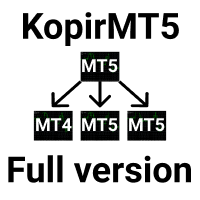
KopirMT5 (CopierMT5) - transaction copier for the MetaTrader 5 terminal, copies (synchronizes, duplicates) transactions from hedge accounts (copier, copy dealers).
Support: https://www.mql5.com/ru/messages/01c3f341a058d901
Why exactly our product?
- The copier has a high speed and is not dependent on ticks. Copy speed - less than 0.5 sec.
- Transactions are copied with high accuracy, the scalper mode allows you to copy only at the best price.
- Able to increase transaction volumes from Signals
- It does not lose position when a connection is lost or the terminal is restarted.
- Does not load the processor and does not have a large load on the PC or VPS.
- The number of terminals (server \ client) is not limited.
- It does not use a DLL and does not transmit data to the Internet.
- It can work with other advisers (experts) and scripts.
- It works correctly with partial closure, without losing the spread at reopening.
- It works correctly with cross rates, metals, CFDs, stocks and futures, as well as instruments with prefixes (automatic detection of prefixes).
- Recognizes differences in the name of metals and supports copying on them (XAUUSD <-> GOLD, XAGUSD <-> SILVER and others, you can configure any scheme).
- Allows you to organize any copy scheme from one account or from several.
- We provide information support for free and are ready to complete the turnkey setup.
- We are ready to listen to the opinions of our customers and implement the necessary functions to make our product even better.
- Functions will be added similarly to our KopirMT4 product.
Basic configuration of the copier
Market Instruction:
https://www.youtube.com/watch?v=-AtFqdJ5Y_s&list=PLltlMLQ7OLeKH3OAmNfDARYQsBYEx9aWY
Setup on the master account (server)
- Install the purchased product on any schedule in one copy. Leave the default settings.
- Allow the adviser to trade in the settings and enable the Auto-trade button in the terminal.
Client setup
- Install the purchased product on any schedule in one copy.
- Set mode parameter to Client mode
- Set the server account number (if there are several servers, you can specify them separated by commas) in the List of server accounts field
- Set the lot multiplier Use lot multiplicator , default 1
- Allow the adviser to trade in the settings and enable the Auto-trade button in the terminal.
Basic settings
- Mode - the role of this instance of Server - the mode of operation as a master account (transmitting side). Client - operating mode as a client. (the host).
- List of server accounts - a list of account numbers, separated by commas, from which we copy.
- Use lot multiplicator - lot multiplier . 1 = 100% of the server lot.
- Filter slippage - input accuracy as a spread coefficient or in points.
A link to the full list of settings https://www.mql5.com/en/blogs/post/767065
安全须知
本产品仅通过 MQL5.com 官方渠道获取。其他渠道版本可能缺少完整功能和技术支持。
EA 配置
| 交易品种 | XAUUSD |
| 时间框架 | H1 (推荐) |
| 推荐经纪商 | IC Markets, IC Trading |
| 最低存款 | $300 / 0.01手 |
📸 截图预览