📝 产品详情
MultiSessionVolumeProfile
| 作者 | Everett Wright |
| 版本 | v5 |
| 激活数 | 5 |
| 原价 | $30 USD |
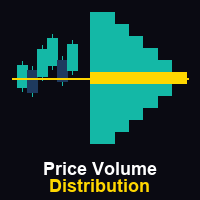
MultiSession Volume Profile is a professional volume profile indicator for MetaTrader 5 that builds separate POC, VAH, VAL and volume histograms for multiple custom trading sessions on the same chart. It helps you see where volume truly concentrated in each part of the day (RTH, Globex, Asia, London, etc.), so you can identify key intraday levels, ranges, and magnets that many standard tools miss.
Main advantages
-
Multi-session profiles
Build up to 5 fully independent sessions with custom times (for example: Asia, London, NY RTH, NY PM), each with its own box, histogram, POC, VAH, VAL and label. This allows you to compare where volume accumulated across different parts of the 24‑hour cycle on a single chart. -
Accurate volume distribution
The indicator uses M1 data inside each session and distributes volume proportionally across price bins based on how much of each bar overlaps each bin. This produces smoother, more realistic profiles compared to simple “one price per bar” approaches. -
Clear value area and POC levels
For every completed session, the tool automatically finds the Point of Control (POC) and calculates the Value Area around it based on your chosen percentage (by default 70%). VAH and VAL are drawn as clean horizontal lines across the session, making it easy to see fair value and extremes. -
Visual, configurable profiles
Session boxes, histograms, POC and VA lines, and labels can all be turned on or off and styled. You can control the number of rows (profile resolution), histogram width relative to session duration, colors per session, and line styles, adapting the display to your charting style. -
Smart alerts on key levels
Optional alerts trigger when price crosses VAH, crosses VAL, or touches the POC of the latest completed session. You can choose on‑screen alerts and push notifications, helping you react quickly when price interacts with the most important intraday volume levels. -
Performance-oriented design
The indicator processes completed sessions only once, tracks which ones are done, and limits how many sessions remain on the chart. This avoids unnecessary recalculation and keeps the chart responsive even when you monitor multiple days and sessions.
Input parameters
Session settings
-
EnableSession1 … EnableSession5
Turn each of the 5 custom sessions on or off. For example, you can enable only RTH + Globex, or run all five for a full 24‑hour breakdown. -
Session1Time … Session5Time
Session time windows in “HH:MM‑HH:MM” format (terminal time). You can define any custom ranges (e.g. “09:30‑16:00” for NY cash, “16:30‑20:00” for post‑market). If the end time is earlier than the start time, the session automatically extends into the next day. -
Session1Name … Session5Name
Display names for each session, shown as labels above the session box (e.g. “Asia”, “London”, “NY RTH”). -
SessionXBoxColor / SessionXHistColor
Individual colors for each session’s background box and histogram, so you can visually distinguish sessions at a glance.
Volume profile settings
-
ProfileRows
Number of vertical price bins used to build the volume profile for each session. Higher values give finer resolution; lower values give a smoother profile. -
ValueAreaPercent
Percentage of total session volume to include in the Value Area, centered around the POC (commonly 70%). -
HistogramWidthPct
Width of the histogram as a percentage of the session duration along the time axis. This controls how far the profile extends to the right of the session start. -
UseRealVolume
If true and the symbol supports it, the indicator uses real volume; otherwise it uses tick volume. This lets you adapt to different broker feeds and markets.
Display options
-
ShowHistogram
Show or hide the volume histogram bars for each session. -
ShowSessionBox
Show or hide the session background rectangle, which frames the high/low range of the session in time and price. -
ShowPOCLine
Enable or disable the POC line drawn across the session. -
ShowSessionLabel
Show or hide the session name text above the session. -
MaxSessionsToShow
Maximum number of historical sessions to keep visible on the chart. Older ones are automatically removed to avoid clutter. -
BoxTransparency
Transparency of the session box fill (0–100), allowing you to keep price action clearly visible beneath.
Line styles
-
POCLineColor, POCLineWidth, POCLineStyle
Color, thickness, and style of the POC line, so you can emphasize it as the key intraday reference. -
VAHLineColor, VALLineColor, VALineWidth, VALineStyle
Color and style of the VAH/VAL lines.
Alert settings
-
AlertOnVAH
Enable an alert when price crosses above the latest session’s VAH. -
AlertOnVAL
Enable an alert when price crosses below the latest session’s VAL. -
AlertOnPOC
Enable an alert when price comes within a small configurable tolerance around the latest session’s POC. -
PushNotification
Send alerts as push notifications to your MetaTrader mobile terminal (requires MetaQuotes ID configured in the terminal).
Use MultiSession Volume Profile to understand where volume truly concentrated in each session, locate intraday value areas and extremes, and build trading plans around the most meaningful levels instead of arbitrary lines.
安全须知
本产品仅通过 MQL5.com 官方渠道获取。其他渠道版本可能缺少完整功能和技术支持。
EA 配置
| 交易品种 | XAUUSD |
| 时间框架 | H1 (推荐) |
| 推荐经纪商 | IC Markets, IC Trading |
| 最低存款 | $300 / 0.01手 |
📸 截图预览