📝 产品详情
OmniSignal Navigator
| 作者 | Fatih Klavun |
| 版本 | v3.52 |
| 更新 | 2025-06-25T22:24:28 |
| 激活数 | 0 |
? OmniSignal Navigator – Smart Entries at Key Levels
Trade Like a Professional with this daily/weekly High-Low-Close indicator, designed for scalping or intraday short term trading and precision breakout trading.
Suggested Timeframes to trade with: M5 | DONT USE THE INDICATOR ON THE M1 TIMEFRAME!!!
? Why It Works
✅ Perfect for Scalping/Intraday: Targets key zones (PDH/PDL/PDC & PWH/PWL/PWC) on M2, M3, M5, M15 timeframes. (Lower Timeframes = More Signals, Higher Timeframes = Less Signals)
✅ No Chart Analysis Needed: Just wait for Push Notifications (phone alerts) and trade the signals.
✅ Strict Signal Rules:
-
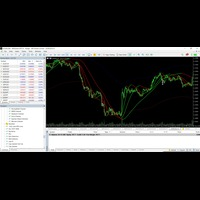
Enter on confirmed signals (colored arrows).
Arrows are Primary Signals and the Dots are Signals Close Signals -
Exit & Reverse when the opposite signal appears.
-
TP/SL Suggestion: Use recent swing levels. I have a seperate Indicator (Swing Points) for that. It lines out the recent Swing Levels.
? How to Use (Simple Rules)
-
Wait for Signals – No signal? No trade.
-
Trade the Breakout – Enter on confirmed arrow (2nd candle close).
-
Manage Risk – TP/SL at nearby swings (left-side highs/lows).
-
Reverse Fast – Close & flip position on opposite signals.
? Ideal For Traders Who Want:
-
A hands-off scalping strategy.
-
Clean, non-repainting signals.
-
No overthinking – Just follow the arrows.
Edit - 07.07.2025
The Moving Average can be used as indication for consolidation. (Closer to the MA = Consolidation) It is the "EnableCloseSignal" in the Settings. But I would recommend it to keep it turned off.
I recommend for potential Take Profit target the recent Swing Highs or Lows. I have a seperate Indicator (Swing Points) for that.
安全须知
本产品仅通过 MQL5.com 官方渠道获取。其他渠道版本可能缺少完整功能和技术支持。
EA 配置
| 交易品种 | XAUUSD |
| 时间框架 | H1 (推荐) |
| 推荐经纪商 | IC Markets, IC Trading |
| 最低存款 | $300 / 0.01手 |
📸 截图预览