📝 产品详情
PGSindicator
| 作者 | Giancarlo Giuseppi Bejar |
| 版本 | v15.0 |
| 更新 | 27 一月 2026 |
| 激活数 | 2 |
PGSindicator for MetaTrader 5
Free Companion Indicator for Profit Guard System Trade Panel.
*** The attached video is the "PGS Trade Panel Tutorial Part 1" *** (4m video)
Adjust >>> **** EMA1 N-Pips Separation from EMA2This setting defines the minimum distance required between EMA1 and EMA2 before a trend condition is considered valid.
The default value is 100.0 pips for NASDAQ 100, 1 minute CHART. Depending on how your broker calculates pip values, you may adjust this to 20.0 or 10.0 pips to better match your instrument’s pricing format and volatility.
PGSindicator is a free visual companion indicator designed to work together with the Profit Guard System Trade Panel for MetaTrader 5.
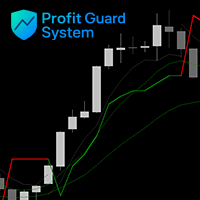
The indicator provides a clear and structured visual interpretation of the default strategy logic used by the Trade Panel. It displays trend direction, filters, and trading conditions directly on the chart, helping traders better understand how the system logic interacts with price action. Default settings are optimized for NASDAQ 100, 1 minute CHART
When installed alongside the PGS Trade Panel, the indicator can be automatically loaded on the chart and dynamically adjusted based on the panel’s settings.
PGSindicator is intended to support:
-
Visual analysis of the default strategy configuration
-
Real-time interpretation of trend and filter logic
-
Better understanding of trade conditions and structure
The indicator does not generate signals or predictions.
It is designed to provide a visual framework that complements the rule-based logic of the Profit Guard System.
PGSindicator is free to download from the MQL5 Market.
**You can contact me at any time through the MQL5 Market chat or via our current website for questions, support, and updates.
Companion Tool, "Profit Guard System Trade Panel"
PGSindicator is built to work together with the PGS Trade Panel for MT5.
The Trade Panel provides fast execution, rule-based automation, real-time feedback, and advanced trade management tools. Used together, they create a complete and structured trading workspace for disciplined, rule-driven trading.
Find the "Profit Guard System Trade Panel" available on the MQL5 Market.
For questions or support, contact us through MQL5 Market chat.
Installation Instructions
Follow these steps to correctly install and connect PGSindicator with the Profit Guard System Trade Panel.
Step 1 — Download the Indicator
Download PGSindicator for free from the MQL5 Market.
Step 2 — Locate Your Experts Folder
In MetaTrader 5, go to:
File → Open Data Folder → MQL5 → Experts
This is the same folder where your Profit Guard System Trade Panel EA is installed.
Step 3 — Install the Indicator
Place the PGSindicator.ex5 file inside the Experts folder.
Step 4 — Restart MetaTrader 5
Close and reopen MetaTrader 5 so the platform recognizes the indicator.
Step 5 — Load the Trade Panel
Attach the Profit Guard System Trade Panel to your chart.
If PGSindicator is installed correctly, the panel can automatically load the indicator and adjust its parameters based on the panel settings.
Result
Once loaded, PGSindicator will display a visual interpretation of the default strategy logic directly on your chart from the PGS Trade Panel, including trend direction, filters, and trading structure.
This allows you to clearly see how the system logic aligns with price action in real time.
安全须知
本产品仅通过 MQL5.com 官方渠道获取。其他渠道版本可能缺少完整功能和技术支持。
EA 配置
| 交易品种 | XAUUSD |
| 时间框架 | H1 (推荐) |
| 推荐经纪商 | IC Markets, IC Trading |
| 最低存款 | $300 / 0.01手 |
📸 截图预览