📝 产品详情
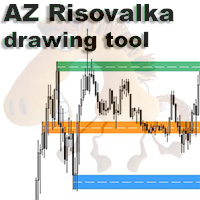
AZ Risovalka levels drawing tool
| 作者 | Yurii Shvechikov |
| 版本 | v1.21 |
| 更新 | 2025-08-25T07:14:21 |
| 激活数 | 0 |
AZ Risovalka levels drawing tool
An indicator for simplifying the drawing of levels.
Select the indicator mode for the body, shadow, or the whole candle in the settings. Click the 'Draw' button on the drawing panel to create a level, then click on the body or shadow of the candle and select the level color in the color menu that appears. The 'Delete' button to delete level you select, 'Color' to select the color of an already created level. You can set your own colors in the indicator menu (6 colors). By default - you can store up to 50 levels. Each level is drawn from the beginning of the selected candle to the end of the chart.
安全须知
本产品仅通过 MQL5.com 官方渠道获取。其他渠道版本可能缺少完整功能和技术支持。
EA 配置
| 交易品种 | XAUUSD |
| 时间框架 | H1 (推荐) |
| 推荐经纪商 | IC Markets, IC Trading |
| 最低存款 | $300 / 0.01手 |
📸 截图预览