📝 产品详情
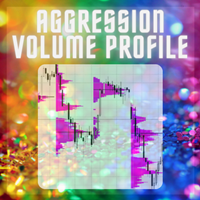
Rainbow Range Volume Profile
| 作者 | Yoshito Tokunaga |
| 版本 | v1.0 |
| 激活数 | 2 |
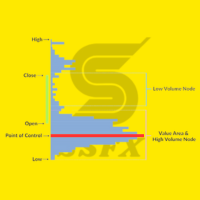
A simple, lightweight volume profile indicator that visualizes price-range volume with color-coded POCs (Points of Control).
Overview
RainbowVolumeProfile04Simple.mq5 calculates and displays a price–by–volume (Volume Profile) over a user-specified number of bars. The indicator automatically detects the top 5 volume concentration levels (POCs) and draws a colorful horizontal histogram at the right side of the chart. The computation is lightweight and updates in real time.
Key Features
-
Automatically detects and highlights the top 5 POCs.
-
Renders a horizontal volume histogram at the right edge of the chart.
-
Allows specifying the timeframe used for profile calculation (e.g. M1, M5, H1).
-
Auto-updates on new bars and manages drawing objects to minimize clutter.
-
Compact, efficient algorithm designed for smooth performance.
Inputs / Parameters
| Parameter | Description | Default |
|---|---|---|
| CaluculationBars | Number of bars to include in the profile calculation | 120 |
| PriceResolution | Number of price bins (histogram resolution) | 25 |
| VolumeProfileWidth | Width of the profile on screen (pixels) | 180 |
| VolumeColor | Default bar color for non-POC levels | WhiteSmoke |
| VolumeColorPOC_1st … VolumeColorPOC_5th | Colors for 1st–5th POC highlights | HotPink , Orange , Yellow , Lime , Aqua |
| TimeFrame | Timeframe used to calculate the profile | PERIOD_CURRENT |
| CheckTimeFrame | Timeframe used to detect updates (data refresh frequency) | PERIOD_M1 |
How to Use
-
Place RainbowVolumeProfile04Simple.mq5 into the MQL5/Indicators folder.
-
Restart MetaTrader 5 (or recompile the indicator).
-
Attach the indicator to any chart.
-
Adjust parameters (bars, resolution, colors, width, timeframe) in the indicator properties as needed.
Practical Tips
-
Use H1–H4 for swing analysis and M1–M15 for intraday/scalping setups.
-
Repeated or clustered POCs often indicate strong support / resistance zones.
-
Change POC colours or profile width to match personal style and improve visibility.
Technical Notes
-
The indicator uses iHigh() , iLow() , and iTickVolume() and does not rely on close[] or time[] array parameters to avoid common MQL5 pitfalls.
-
Drawing objects are managed (created/deleted) via ObjectsDeleteAll() and OBJ_RECTANGLE_LABEL to reduce flicker and keep the chart clean.
-
Chart scale is detected with ChartGetDouble() so the histogram aligns with current visible price range.
Compatibility & Version
-
Version: 1.00
-
Platform: MetaTrader 5
-
Language: MQL5
-
Timeframes: All
-
Instruments: Forex, CFDs, Crypto, etc.
License
Free to use. If redistributed or used commercially, please retain the original author credits.
安全须知
本产品仅通过 MQL5.com 官方渠道获取。其他渠道版本可能缺少完整功能和技术支持。
EA 配置
| 交易品种 | XAUUSD |
| 时间框架 | H1 (推荐) |
| 推荐经纪商 | IC Markets, IC Trading |
| 最低存款 | $300 / 0.01手 |
📸 截图预览