📝 产品详情
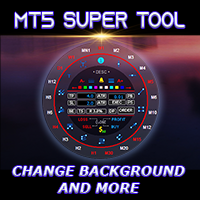
MT5 Super Tool
| 作者 | Akkapob Tankimyong |
| 版本 | v1.45 |
| 更新 | 2025-06-17T11:52:55 |
| 激活数 | 10 |
| 原价 | $39 USD |
If you press the "Free Demo" button on the left it will not work since the Super Tool is an utility EA, it can not be tested on the Strategy Tester system.
Transform Your Trading Experience with the MT5 Super Tool
How to install and use the MT5 Super Tool
Tired of fumbling through clunky menus, wasting precious seconds during volatile markets, or missing critical trading opportunities because MT5’s native tools slow you down? Say goodbye to inefficiency and hello to lightning-fast precision with the MT5 Super Tool—the best MT5 tool and a revolutionary add-on designed to supercharge your workflow, boost your productivity, and give you the ultimate edge in trading.
“No more wasted time going back and forth to the toolbar to draw, navigate, change time frames, and entering trades”
Workspace Customization
- Load and change MT5 background or wallpaper with an image (BMP). Change the brightness with the Shift + arrow up/down
- Enable or disable the chart background with a shortcut
- Load chart templates with a quick key
- Change chart background colors with Shift+B
- Change candle colors with the preset colors with a quick key
- Customize the colors of the quick access with with shortcuts
One Click Drawing
- Instantly access ALL drawing tools via the MT5 Super Tool quick access wheel or draw like a pro with one-key commands
- Draw trendlines, rectangles, vertical lines, horizontal lines, Fibonacci retracement, and much more with a quick shortcut key
- Customize your drawings with the quick access wheel. No need to go into the properties window to customize your drawings
- Click once on objects to select. Select or delete all objects with a quick key
Navigation
- Use the up or down arrow to navigate through time frames
- Enable or disable the auto scroll and chart shift function with a quick key, looking back to left of the chart has never been easier
- Enable or disable chart scale fixed with a quick key, this enables you to drag the chart in different directions just like Trading View
- Use the Shift key + mouse wheel to adjust the vertical scale
- Pan vertically by pressing Shift + move mouse up or down
Trading
- Use the quick access wheel to manage your trade entry manually. Set lot size, TP, SL, or more with the access wheel
- Set preset lot size and risk management options in the EA parameters window for quick and easy order entries
- Set preset for TP and SL by points or ATR
- Set preset trailing SL
- One click to enter orders with auto TP and SL with quick keys. Press 1 for market buy, 2 market sell, 3 buy limit/stop, 4 sell limit/stop
- Move entry level buy dragging the entry point line or use Ctrl + move mouse up or down to move the entry point
- Quick close buttons on the access wheel or just use quick keys to close all
- Delete pending orders with a quick key
Special Features
- Set alerts on trendlines and other object with a quick key or the bell icon on the quick access wheel
- On chart trade info panel. See if your trades on the current chart are profitable or losing with a quick key
- See on chart information (OHLC) of each candle with a quick key, useful for traders looking for those minor break of highs and lows
- Show chart/candlestick patterns with a quick key, this is very useful reference for all traders
System Requirements:
- CPU I5 and higher, 8GB of RAM (16GB recommended)
Common Problems:
- Chart freezes: Sometimes while navigating using the chart scale fixed feature or shortcut users must hit ESC key to exit the mode otherwise the chart will freeze.
- Access wheel does not popup: If you have the Super Tool loaded on many charts this can happen due to low RAM. Minimum RAM required is 8GB but 16GB or higher is recommended for higher performance. For users that load it on three to four charts is fine with with 8GB of RAM.
This EA will be on sale for a limited time. Get your copy before the price goes up to $79.
This utility EA was created to make trading on MT5 more pleasurable. I hope you like it and leave me a review, thanks.
安全须知
本产品仅通过 MQL5.com 官方渠道获取。其他渠道版本可能缺少完整功能和技术支持。
EA 配置
| 交易品种 | XAUUSD |
| 时间框架 | H1 (推荐) |
| 推荐经纪商 | IC Markets, IC Trading |
| 最低存款 | $300 / 0.01手 |
📸 截图预览