📝 产品详情
Market Watch Timeframe
| 作者 | Israr Hussain Shah |
| 版本 | v1.0 |
| 更新 | 2025-11-29T15:28:37 |
| 激活数 | 2 |
1. Product Overview
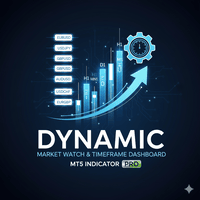
The Dynamic Market Watch & Timeframe Dashboard is a professional chart navigation utility designed for MetaTrader 5. It transforms the static "Market Watch" list into an interactive, on-chart control panel.
Designed for efficiency, this indicator creates a clean, vertical tiling system that allows traders to switch between assets and timeframes instantly with a single click. It features an intelligent auto-layout engine that detects the chart window's height and automatically organizes symbols into multiple columns, ensuring the interface never overlaps or cuts off, regardless of your screen resolution.
2. Key Features
-
Live Market Watch Synchronization: Instantly reads the symbols currently active in your MT5 "Market Watch" window.
-
Intelligent Vertical Layout: Symbols are listed top-to-bottom. When the list reaches the bottom of the chart, the dashboard automatically creates a new column to the right.
-
Complete Timeframe Access: Includes a dedicated column for all 21 MT5 timeframes (M1, M2... H1... up to MN1), allowing for precise multi-timeframe analysis.
-
Active State Highlighting: The current symbol and timeframe are highlighted in Green (customizable), providing immediate visual context.
-
Resize Responsive: If you resize your chart window, the dashboard automatically recalculates and rearranges the columns to fit the new dimensions perfectly.
-
Floating "Tile-Only" Design: No bulky background panels. The buttons float over the chart, keeping your workspace clean and professional.
3. How It Works
Unlike standard Expert Advisors that execute trades, this tool runs as a Custom Indicator. It utilizes the OnChartEvent handler to detect mouse clicks on the generated button objects.
-
Scanning: Upon initialization, it scans your Market Watch list using SymbolsTotal(true).
-
Rendering: It calculates the pixel height of your chart window. It determines how many buttons fit vertically.
-
Interaction: When a user clicks a Symbol tile, the indicator executes ChartSetSymbolPeriod, changing the chart content to the new asset while keeping the indicators and templates intact. When a Timeframe tile is clicked, it updates the period.
安全须知
本产品仅通过 MQL5.com 官方渠道获取。其他渠道版本可能缺少完整功能和技术支持。
EA 配置
| 交易品种 | XAUUSD |
| 时间框架 | H1 (推荐) |
| 推荐经纪商 | IC Markets, IC Trading |
| 最低存款 | $300 / 0.01手 |
📸 截图预览