📝 产品详情
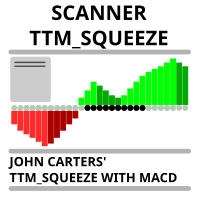
Scanner TTM Squeeze MACD
| 作者 | Danil Poletavkin |
| 版本 | v1.1 |
| 更新 | 2023-09-29T20:29:06 |
| 激活数 | 78603 |
Market scanner based on the indicator published here Download the 'John Carters TTM Squeeze with MACD' Technical Indicator for MetaTrader 5 in MetaTrader Market (mql5.com). Only the instruments that are in the Market Watch window are scanned. Maximum number of scanning tools up to 5000. The scan timeframe is selected from the timeframe panel of the terminal. To use it, open any chart and attach the Expert Advisor to the chart, the 'Search' button will appear in the upper left corner. When you click on the button, the search for signals will begin. If the signals are found, the corresponding buttons will appear, when clicked, a chart with the found signal will open in a new tab. The template specified in the settings will be applied to the open chart. If the template is not specified in the settings, a graph with default settings will open.
In order to search for symbols where the price is in a "squeeze" state, you need to set the "Required black dots count for Release signal" parameter to 0.
If you set the parameter to a non-zero number, the scanner will look for "release" signals after the specified number of black dots
Attention! To make the scanner work correctly, remove all low-liquid instruments from the "Market Overview" window, that is, those for which there are absolutely no or very few deals
安全须知
本产品仅通过 MQL5.com 官方渠道获取。其他渠道版本可能缺少完整功能和技术支持。
EA 配置
| 交易品种 | XAUUSD |
| 时间框架 | H1 (推荐) |
| 推荐经纪商 | IC Markets, IC Trading |
| 最低存款 | $300 / 0.01手 |
📸 截图预览