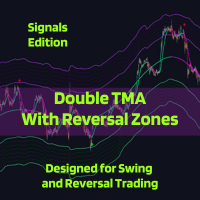
Double TMA with Reversal Bands Signals Edition
| 作者 | Clayton Prickett |
| 版本 | v4.0 |
| 更新 | 2025-07-30T02:48:49 |
| 激活数 | 5 |
| 原价 | $59 USD |
The Double TMA with Bands – Signals Edition v4.0 technical analysis tool is built for MetaTrader 5 combining two Triangular Moving Averages (TMA) with ATR-based reversal zones to help identify trend direction and potential turning points. It includes optional indicator visualization, multiple signal types, and flexible alerting to ensure you never miss the trade!
Notes from the Developer:
Major Features
- Seven signal types: (up from 4) continuation, reversal-zone, high-probability reversal, price/TMA crossover, full confluence, VolStop trend-flash, and TMA Fast/Slow crossover.
- VolStop trend engine: ATR-based trailing trend filter with its own signal family and confirmation bars.
Technical Improvements
- UI vs signal logic separated: TMA slope thresholds for line colors, epsilon bands for actual signal calculations.
- Slope sensitivity controls: per-line neutral-band epsilons plus optional hysteresis for enter vs exit thresholds.
- Anti-noise crossover engine: confirmation bars, minimum TMA separation, slope checks, and closed-bar-only options.
- ADX gating for confluence: ADX + DI+/DI− minimums for Type 5 high-probability signals.
- Per-type signal limiting: per-trend caps for each signal family with trend-based resets.
- Refined alerts and notifications: global and unit level toggles and limiters.
Core Concept
- Major Trend (TMA Slow): broad directional filter and main structure reference.
- Minor Trend (TMA Fast): responsive signal line for timing entries and minor trend shifts.
- ATR Reversal Zones: slow TMA bands (and optional extra bands) where price often reacts or exhausts.
- VolStop Trend Filter: ATR-based trailing line that defines active trend legs and flip points.
- Multi-Timeframe View: compact panels summarizing major and minor trend states across timeframes.
Key Features
- Seven entry signal families plus configurable exit / minor-trend-change signals.
- Optional Heikin Ashi and VolStop overlays for more comprehensive visual trend confirmation.
- Flexible slope controls with epsilon bands, hysteresis, and crossover persistence filters.
Input Parameters
TMA Slow Settings
TMA Slow | Input name | Default value | Description |
| Slow TMA Period | 200 | Major (slow) TMA period for the main trend. |
| TMA Slow Bands Smoothing Period | 300 | ATR smoothing period for slow TMA bands (higher = smoother bands, more lag). |
| ATR Multiplier of TMA Slow | 5.0 | ATR multiplier used to build the main upper/lower slow TMA bands. |
| TMA Slow Slope Adjustment | 200 | Lookback length for slow slope calculation. |
| TMA Slow Redraw | Yes | Allow slow TMA to redraw (less lag, may repaint historical values). |
| Show TMA Slow Line | Yes | Display the slow TMA line on the chart. |
TMA Fast Settings
TMA Fast | Input name | Default value | Description |
| TMA Fast Period | 26 | Minor (fast) TMA period; acts as the signal line. |
| TMA Fast Slope Adjustment | 26 | Lookback length for fast slope calculation. |
| TMA Fast Redraw | No | Allow fast TMA to redraw (less lag, may repaint) when enabled. |
| Show TMA Fast Line | Yes | Display the fast TMA line on the chart. |
TMA Neutral State Thresholds (UI)
TMA Neutral State Threshold Settings | Input name | Default value | Description |
| TMA Slow Trend Threshold | 0.00 | Slow slope threshold used for UI trend state (coloring only). |
| TMA Fast Trend Threshold | 0.0 | Fast slope threshold used for UI trend state (coloring only). |
Note: TMA Slow/Fast thresholds control line colors (green/magenta/gray). Signal calculations use the epsilon values in the slope sensitivity section, not these thresholds.
Slope Sensitivity (Signal Calculations)
Slope and Hysteresis | Input name | Default value | Description |
| Fast Slope Neutral Band Epsilon | 0.0 | Neutral band width for fast slope; higher = fewer, cleaner signals. |
| Slow Slope Neutral Band Epsilon | 0.0 | Neutral band width for slow slope; controls trend classification. |
| Use Hysteresis Thresholds | No | Use different enter/exit thresholds to prevent signal flip-flopping. |
| Enter Trend Threshold | 0.03 | Slope must exceed this value to enter a trending state. |
| Exit to Neutral Threshold | 0.015 | Slope must drop below this value to exit a trending state. |
Extra ATR Bands
Extra Band Settings | Input name | Default value | Description |
| Show Extra ATR Bands | No | Draw additional ATR bands around the slow TMA (uses more CPU). |
| Extra Band 1 Multiplier | 1.0 | Multiplier relative to the main slow ATR band for extra band 1. |
| Extra Band 2 Multiplier | 2.0 | Multiplier relative to the main slow ATR band for extra band 2. |
| Extra Band 3 Multiplier | 3.0 | Multiplier relative to the main slow ATR band for extra band 3. |
| Extra Band 4 Multiplier | 4.0 | Multiplier relative to the main slow ATR band for extra band 4. |
| Extra Band 5 Multiplier | 5.0 | Multiplier relative to the main slow ATR band for extra band 5. |
| Extra Band 6 Multiplier | 6.0 | Multiplier relative to the main slow ATR band for extra band 6. |
| Extra Band 7 Multiplier | 7.0 | Multiplier relative to the main slow ATR band for extra band 7. |
Main Entry Signals (Global)
Entry Signals - Global Settings | Input name | Default value | Description |
| Signal Confirmation Bars | 0 | Bars to wait for signal confirmation (0 = current bar). |
| Show Buy/Sell Entry Signals | Yes | Master switch to display all entry signal arrows. |
Signal Type 1
Signal Type 1 – Trend + Confluence | Input name | Default value | Description |
| Signal Type 1 Enable | No | Enable Type 1 signals: price vs. major trend + minor trend change + major trend confluence. |
| Signal Type 1 Buy Arrow Code | 241 | Wingdings arrow code for Type 1 buy signals. |
| Signal Type 1 Sell Arrow Code | 242 | Wingdings arrow code for Type 1 sell signals. |
| Max Type 1 Signals per Trend | 1 | Maximum number of Type 1 signals allowed per trend (0 = unlimited). |
Signal Type 2
Signal Type 2 – Reversal Zone + Confirmation | Input name | Default value | Description |
| Signal Type 2 Enable | No | Enable Type 2 signals: price closes in reversal zone + TMA Fast in reversal zone + minor trend confirmation. |
| Signal Type 2 Buy Arrow Code | 233 | Wingdings arrow code for Type 2 buy signals. |
| Signal Type 2 Sell Arrow Code | 234 | Wingdings arrow code for Type 2 sell signals. |
| Max Type 2 Signals per Trend | 1 | Maximum number of Type 2 signals allowed per trend (0 = unlimited). |
Signal Type 3
Signal Type 3 – High Probability Reversal | Input name | Default value | Description |
| Signal Type 3 Enable | No | Enable Type 3 high-probability reversal signals (entry + exit on the same candle). |
| Signal Type 3 Buy Arrow Code | 177 | Wingdings arrow code for Type 3 buy signals. |
| Signal Type 3 Sell Arrow Code | 177 | Wingdings arrow code for Type 3 sell signals. |
| Max Type 3 Signals per Trend | 1 | Maximum number of Type 3 signals allowed per trend (0 = unlimited). |
Signal Type 4
Signal Type 4 – Price/TMA Slow Crossover | Input name | Default value | Description |
| Signal Type 4 Enable | No | Enable Type 4 signals: price opens on one side of TMA Slow and closes on the other. |
| Signal Type 4 Buy Arrow Code | 170 | Wingdings arrow code for Type 4 buy signals. |
| Signal Type 4 Sell Arrow Code | 170 | Wingdings arrow code for Type 4 sell signals. |
| Max Type 4 Signals per Trend | 1 | Maximum number of Type 4 signals allowed per trend (0 = unlimited). |
Signal Type 5
Signal Type 5 – Full Confluence / High Probability | Input name | Default value | Description |
| Signal Type 5 Enable | No | Enable Type 5 signals: TMA Fast + TMA Slow + VolStop + Heikin Ashi + ADX + DI confluence. |
| Signal Type 5 Buy Arrow Code | 200 | Wingdings arrow code for Type 5 buy signals. |
| Signal Type 5 Sell Arrow Code | 202 | Wingdings arrow code for Type 5 sell signals. |
| Max Type 5 Signals per Trend | 1 | Maximum number of Type 5 signals allowed per VolStop trend (0 = unlimited). |
| Type 5 Require Price Above/Below TMA Slow | Yes | Require price to be above/below TMA Slow in the direction of the signal. |
| Type 5 Signal Delay | 1 | Bars to delay Type 5 signal (0 = same bar, 1 = next bar, etc.). |
Signal Type 6
Signal Type 6 – VolStop Trend Change Flash | Input name | Default value | Description |
| Signal Type 6 Enable | No | Enable Type 6 signals when VolStop switches trends in line with TMA Slow. |
| Signal Type 6 Buy Arrow Code | 233 | Wingdings arrow code for Type 6 buy signals. |
| Signal Type 6 Sell Arrow Code | 234 | Wingdings arrow code for Type 6 sell signals. |
| Max Type 6 Signals per Trend | 3 | Maximum number of Type 6 signals allowed per VolStop trend (0 = unlimited). |
| Type 6 Require TMA Slow Confluence | Yes | Require TMA Slow to agree with the VolStop trend for Type 6 signals. |
| Type 6 VolStop Confirmation Bars | 1 | Bars VolStop trend must persist before confirming Type 6 signals. |
Signal Type 7
Signal Type 7 – TMA Fast/Slow Crossover | Input name | Default value | Description |
| Signal Type 7 Enable | Yes | Enable Type 7 anti-repainting crossover signals between TMA Fast and TMA Slow. |
| Signal Type 7 Buy Arrow Code | 164 | Wingdings arrow code for Type 7 buy signals. |
| Signal Type 7 Sell Arrow Code | 164 | Wingdings arrow code for Type 7 sell signals. |
| Max Type 7 Signals per Trend | 0 | Maximum number of Type 7 signals allowed per trend (0 = unlimited). |
| Type 7 Crossover Confirmation Bars | 0 | Bars crossover must remain valid before a Type 7 signal (0 = immediate). |
| Type 7 Minimum TMA Separation | 0.0001 | Minimum distance between TMA Fast and TMA Slow required for a crossover signal. |
| Type 7 Require Consistent Slopes | No | Require both TMA slopes to align with the signal direction. |
| Type 7 Closed Bar Only | Yes | Only detect crossovers on closed bars (anti-repainting). |
| Type 7 Persistence Bars | 1 | Bars the crossover must persist before confirming a Type 7 signal. |
ADX Settings (for Type 5 Signals)
ADX Trend Strength | Input name | Default value | Description |
| ADX Period | 14 | Period for ADX calculation used in Type 5 confluence. |
| Minimum ADX Value | 25.0 | Minimum ADX level required to treat the market as trending. |
| Minimum DI+/DI- Difference | 5.0 | Minimum difference between DI+ and DI- to confirm directional strength. |
Exit / Minor Trend Change Signals
Exit Signals | Input name | Default value | Description |
| Show Exit Signals | Yes | Display minor trend change / exit arrows based on price vs. TMA Slow. |
| Exit Signal Cooldown Bars | 26 | Minimum bars between exit signals to avoid clutter. |
| Exit Buy Arrow Code | 222 | Wingdings arrow code for Bull→Bear minor trend change (buy exit). |
| Exit Sell Arrow Code | 221 | Wingdings arrow code for Bear→Bull minor trend change (sell exit). |
Notifications
Alerts and Push | Input name | Default value | Description |
| Send Alerts | Yes | Enable platform alert pop-ups for signals. |
| Send Push Notifications | Yes | Send push notifications to the mobile app. |
| New Bar Alert | No | Trigger an alert every time a new bar opens. |
| Send Test Notification on Init | No | Send a test notification when the indicator initializes. |
Trend Panels and Visualization
Trend Panels | Input name | Default value | Description |
| Show Major Trend Panel | Yes | Display multi-timeframe major trend panel. |
| Show Minor Trend Panel | Yes | Display multi-timeframe minor trend panel. |
| Panel Corner Position | Bottom Left | Chart corner where the panels are anchored. |
| Major Trend Panel X Offset | 10 | Horizontal offset (pixels) for the major trend panel. |
| Major Trend Panel Y Offset | 80 | Vertical offset (pixels) for the major trend panel. |
| Minor Trend Panel X Offset | 10 | Horizontal offset (pixels) for the minor trend panel. |
| Minor Trend Panel Y Offset | 30 | Vertical offset (pixels) for the minor trend panel. |
| Bull Trend Color | Lime | Color used to show bullish trend in panels. |
| Bear Trend Color | Magenta | Color used to show bearish trend in panels. |
Heikin Ashi
Heikin Ashi Settings | Input name | Default value | Description |
| Show Heikin Ashi Candles | Yes | Overlay Heikin Ashi candles on the main chart. |
VolStop Settings
VolStop Trend Filter | Input name | Default value | Description |
| Show VolStop Line | Yes | Display the VolStop trailing trend line on the chart. |
| VolStop ATR Period | 26 | ATR period used by the VolStop calculation. |
| VolStop Source Price | Close | Price type used for VolStop (e.g., close price). |
| VolStop ATR Multiplier | 3.0 | ATR multiplier controlling VolStop distance from price. |
Typical Applications
- Trend following: trade in the direction of the major trend when minor trend aligns.
- Reversal trading: focus on signals within reversal zones.
- Scalping or swing: adjust periods and confirmations to timeframe.
Technical Details
- Platform: MetaTrader 5
- Timeframes: Any
- Markets: Forex, indices, commodities, crypto
- Operation: historical and live charts
- Implementation: no DLL calls; does not use external WebRequest.
Usage Notes
*There is no defined timeframe for bug fix development, but the bugs will be fixed before the price increase.*