📝 产品详情
Lot Dashboard Pro
| 作者 | Nathanael Ed Toussaint |
| 版本 | v1 |
| 更新 | 15 四月 2026 |
| 激活数 | 5 |
| 原价 | $250 USD |
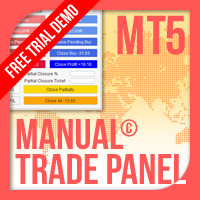
Lot Dashboard is a trade execution and position-management panel for MetaTrader 5. It is designed for traders who want faster entries, clearer exposure visibility, and more flexible manual exit planning directly on the chart.
The dashboard combines one-click market entries, quick management tools, live open-position metrics, and scenario-based exit lines in one compact panel. It is suitable for traders who scale in, manage multiple open positions, and want more control over how exits are planned and executed.
The main strength of the dashboard is its manual exit system. Two independent exit scenarios, A and B, can be placed on the chart and used to prepare different management outcomes before price reaches a level. Each scenario can be re-armed, paused, moved, and reused without rebuilding the setup from scratch.
Key features
- One-click BUY and SELL entries using configurable lot presets
- 2 to 6 visible lot rows for fast order execution
- Default SL and TP support for market entries
- Maximum total open lots limiter
- Scope control for chart symbol only or all symbols
- CLOSE ALL TRADES action
- ALL BE function to move eligible positions to break-even
- TRAIL SL function to move stop loss to the nearest entry per symbol
- Quick-close buttons for the latest four positions
- 100% close and 50% close actions for recent trades
- Live display of open lots, open risk, potential gain, open commissions, open P/L, and net P/L
- Draggable chart panel with stable shared drag handling
Manual exit scenarios
The dashboard includes two independent manual exit lines: A and B.
Each scenario can be placed on the chart and assigned to a closing mode. When price crosses the line, the selected action is applied to positions in scope.
Available scenario modes include:
- Exit all — closes all eligible positions
- Close largest — closes the largest eligible position
- Close smallest — closes the smallest eligible position
- -1 Near — closes the most advanced position relative to the exit line
- -1 Far — closes the least advanced position relative to the exit line
- 50% — reduces total scoped open volume toward half of the current amount using broker-valid close sizing
These modes allow the dashboard to be used for full exits, staged reductions, and selective position management.
Reusable inactive state
A major part of the current design is the inactive scenario workflow.
After any scenario triggers, the line stays on the chart and becomes inactive instead of being removed. This means:
- the level remains visible
- it does not trigger again until reactivated
- the trader can drag it to a new price and reactivate it quickly
- the scenario restores the prior active mode automatically when appropriate
This makes the dashboard useful for repeated management decisions without forcing the trader to rebuild exit lines each time.
Double-click line control
Scenario lines can also be controlled directly from the chart:
- double-click an active line to make it inactive
- double-click an inactive line to turn it off
This provides a fast way to pause or clear a scenario without cycling through panel buttons.
Safer drag behavior
The current dashboard also improves safety while adjusting exit lines:
- scenario lines do not trigger while being dragged
- a recent double-click will not accidentally reactivate the line through drag bleed-through
- inactive-line reactivation is handled more safely after the interaction is complete
This helps prevent unintended closes during manual repositioning.
Who it is for
Lot Dashboard is suitable for traders who:
- enter multiple positions in the same idea
- want fast one-click execution
- manage exits actively from the chart
- scale out of trades in different ways
- want a visual alternative to manual position-by-position handling
Summary
Lot Dashboard gives MT5 traders a practical chart panel for entries, exposure monitoring, and flexible manual exits. Its strongest features are the scenario-based exit lines, selective close modes, reusable inactive state, and fast trade management workflow.
安全须知
本产品仅通过 MQL5.com 官方渠道获取。其他渠道版本可能缺少完整功能和技术支持。
EA 配置
| 交易品种 | XAUUSD |
| 时间框架 | H1 (推荐) |
| 推荐经纪商 | IC Markets, IC Trading |
| 最低存款 | $300 / 0.01手 |
📸 截图预览