📝 产品详情
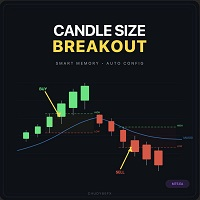
Candle Size Breakout
| 作者 | Wojciech Jerzy Magda |
| 版本 | v7 |
| 更新 | 4 四月 2026 |
| 激活数 | 10 |
| 原价 | $179 USD |
Candle Breakout
Build your own breakout strategy — choose candle size, filters and position management
What is Candle Breakout?
Candle Breakout is an Expert Advisor based on the candle range breakout strategy. It gives you the tools to build your own strategy — you decide what candle size you're interested in, which trend filters to enable, how to manage your position and what risk you accept.
You build the strategy, the EA executes it.
- Choose your candle size — set minimum and maximum range in pips tailored to your instrument and timeframe
- Select trend filters — one MA, two MAs, ADX, HTF or any combination
- Set up position management — SL in pips, ATR or on candle, fixed or dynamic TP, Break-Even, Trailing Stop
- Control your risk — fixed lot, account percentage, daily limits, max positions
Every parameter can be set manually or left at 0 = auto — the EA will then use values from built-in presets for the given instrument.
How does the EA open positions?
The EA monitors the range of selected previous candles (default 1 candle = classic breakout). It defines a breakout zonebased on the highest High and lowest Low (from wick to wick):
- BUY — when price breaks above the High of the breakout zone
- SELL — when price breaks below the Low of the breakout zone
Every entry must pass through a chain of filters before being approved:
1. Trend Filter — Dual Moving Average
- Fast MA (e.g. SMA 50) + Slow MA (e.g. SMA 200)
- Requires N consecutive closed candles above/below BOTH averages (configurable parameter)
- BUY only when confirmed N candles closed above both MAs
- SELL only when confirmed N candles closed below both MAs
- Single MA mode — uses only one average (disable Slow MA by setting -1)
2. Higher Timeframe Filter (HTF)
- Checks trend direction on a higher timeframe (e.g. D1 or W1)
- Blocks BUY entries when HTF is bearish and vice versa
- Automatic HTF selection based on the current timeframe
3. Trend Strength Filter — ADX
- Measures trend strength using the ADX indicator
- Blocks trading when ADX is below threshold (default 20) — sideways market, false breakouts
- Configurable period and minimum ADX level
4. MA Distance Filter
- Checks the distance between Fast and Slow MA in ATR units
- When averages are too close together — market is in consolidation, breakouts fail
- Requires Dual MA (both averages active)
5. Candle Range Filter
- Rejects candles that are too small (no momentum) or too large (move already happened)
- Auto (0) — the EA calculates min/max range based on instrument and timeframe (e.g. USDJPY M30 has different thresholds than GOLD H4)
- Manual — you set minimum and maximum candle range in pips, tailored to your TF and trading style
- Example: on M5 you might set 3-15 pips, on H4 it could be 20-200 pips
- Lookback candles — choose how many candles back to build the breakout zone (1 = previous candle, 3 = range from 3 candles)
6. Spread Filter
- Blocks trading when spread exceeds the allowed maximum
- Auto (0) — spread limit selected automatically from instrument preset, scaled with timeframe
- Manual — you set max spread in pips (e.g. 2.0 = max 2 pips)
- When spread exceeds the limit — the EA waits for it to drop before opening a position
Each filter can be enabled or disabled independently. A position opens only when ALL enabled filters give the green light.
Stop Loss System — 3 Modes
Choose the SL method that fits your strategy:
Mode 1: ATR-based SL (default)
- SL = ATR multiplier (e.g. 1.5x ATR)
- Automatically adapts to current volatility
- Scaled by Adaptive Volatility (comparison of current ATR to 20-period average)
Mode 2: Manual SL (fixed pips)
- SL = exact distance in pips (e.g. 30 pips)
- Fixed value regardless of volatility
Mode 3: Candle SL (SL at candle Low/High)
- BUY: SL below the breakout candle Low + buffer in pips
- SELL: SL above the breakout candle High + buffer in pips
- SL based on actual candle range — adjusted to the current price movement
- Overrides both modes above when enabled
Priority: Candle SL > Manual SL > ATR SL
Take Profit System — 3 Modes + Dynamic TP
Mode 1: ATR-based TP (default)
- TP = ATR multiplier (e.g. 2.5x ATR)
- Adapts to volatility — higher ATR = wider TP
Mode 2: Manual TP (fixed pips)
- TP = exact distance in pips (e.g. 80 pips)
Mode 3: TP disabled
- No Take Profit — position closed only by Trailing Stop or Stop Loss
- For "let profits run" strategies with aggressive trailing
Dynamic TP — mid-trade adjustment
- When ATR changes by more than 10% since entry — TP is automatically recalculated
- Increased volatility = TP moves further
- Decreased volatility = TP moves closer
- Works only with ATR-based TP, not with Manual TP
Break-Even — Securing Your Position
When a position reaches a specified profit, the SL moves to entry level (or locks a small profit):
- BE Start — distance in ATR when BE activates (e.g. 1.0x ATR)
- BE Lock Profit — how much profit to secure above entry price (e.g. 0.05x ATR ≈ breakeven, 0.3x ATR = small profit)
- Automatic values from presets or full manual control
Trailing Stop — Following the Price
After reaching the required profit, the SL follows price in the profit direction:
- Trail Start — minimum profit in ATR before trailing activates (e.g. 2.0x ATR)
- Trail Step — SL distance from current price (e.g. 1.0x ATR behind price)
- Trailing + BE can work together: first BE secures entry, then Trailing takes over and moves SL further into profit
What can you configure?
| Category | Options |
| Candle size | Min/max range in pips, number of lookback candles |
| Trend filters | MA (1 or 2), ADX, HTF, MA distance — each ON/OFF independently |
| Stop Loss | ATR-based / fixed pips / candle-based + buffer |
| Take Profit | ATR-based / fixed pips / disabled + Dynamic TP |
| Break-Even | Start in ATR, lock profit in ATR |
| Trailing Stop | Start in ATR, step in ATR |
| Risk | % of account / fixed lot, max margin, max positions |
| Daily limits | Max loss %, max profit %, max trades |
| Spread | Auto from preset / manual max in pips |
| Direction | BUY only / SELL only / both / same direction only |
Automatic Instrument Detection
The EA automatically detects and configures presets for:
| Detected | How it works |
| Instrument | GOLD, SILVER, FX Major/Minor, Indices, Crypto, Oil |
| Account size | Micro (<$500), Small (<$2000), Medium (<$10k), Large (>$10k) — risk scaling |
| Pip size | Automatic detection for JPY pairs, gold, 5-digit brokers |
| GMT offset | Auto-detection of broker timezone |
| HTF timeframe | Automatic higher timeframe selection |
Presets are a starting point — after loading them you can change any parameter and test your own settings.
Real-Time Dashboard
Clear on-chart panel showing:
- Detected instrument, account size, current risk
- MA trend with confirmation + average values
- Sideways filters (ADX + MA distance) with color-coded status
- Position status, direction, breakouts
- Account balance, equity, daily P&L with limits
- Breakout range, spread, trade count
- Current SL/TP/BE/Trail parameters in pips
- Statistics: win rate, wins/losses, total profit
Dynamic layout — disabled features automatically disappear from the dashboard.
Supported Instruments
GOLD (XAUUSD) • SILVER (XAGUSD) • Forex Major (EURUSD, GBPUSD, USDJPY...) • Forex Minor (EURGBP, AUDNZD...) • Indices (US30, US500, NAS100, DAX, FTSE...) • Crypto (BTCUSD, ETHUSD...) • Oil (WTI, BRENT)
Supported Timeframes
M1 • M5 • M15 • M30 • H1 • H4 • D1 — automatic parameter scaling
All Settings Explained
=== GENERAL ===
| Parameter | Description |
| InpMagicNumber | Unique number identifying this EA's trades. Change when running multiple EAs on the same instrument |
| InpTradeDirection | Trading direction: BOTH, BUY_ONLY, SELL_ONLY |
=== RISK MANAGEMENT ===
| Parameter | Description |
| Fixed lot size | Fixed lot per trade. 0 = disabled, uses Risk % instead |
| Risk % per trade | Percentage of account risked per trade. 0 = auto from preset. Divided by max positions |
| Max margin usage % | Maximum margin usage in %. Blocks new positions when exceeded |
| Max simultaneous positions | How many positions can be open at once (1-10) |
| Only same direction | TRUE = all positions in same direction (no hedging) |
| Use daily loss/profit limits | Enables/disables daily loss and profit limits |
| Max daily loss % | Maximum daily loss in % of account. 0 = auto from preset. EA stops trading when exceeded |
| Max daily profit % | Maximum daily profit in % of account. 0 = auto from preset. Protects against giving back gains |
| Max trades per day | Daily trade limit. 0 = auto from preset |
=== ENTRY — CANDLE BREAKOUT ===
| Parameter | Description |
| Lookback candles | How many candles back to build breakout zone. 1 = previous candle, 3 = range from 3 candles |
| Filter too small/large candles | TRUE = filters candles by min/max range. FALSE = every candle passes |
| Min candle range in pips | Minimum candle size in pips. Smaller = no momentum, rejected. 0 = auto |
| Max candle range in pips | Maximum candle size in pips. Larger = move already done, rejected. 0 = auto |
=== SPREAD FILTER ===
| Parameter | Description |
| Max spread in pips | Maximum spread in pips. Above = EA waits. 0 = auto from preset |
=== TREND FILTERS ===
| Parameter | Description |
| Use MA trend filter | Enables/disables Moving Average filter |
| Fast MA period | Fast MA period (e.g. 20, 50). 0 = auto from preset |
| Fast MA method | Fast MA method: Simple, Exponential, Smoothed, Linear Weighted |
| Slow MA period | Slow MA period (e.g. 100, 200). 0 = auto from preset. -1 = disabled (single MA mode) |
| Slow MA method | Slow MA method: Simple, Exponential, Smoothed, Linear Weighted |
| Consecutive closes for trend confirm | How many consecutive closed candles must be above/below MA to confirm trend. 0 = auto (2) |
| Use HTF trend filter | Enables higher timeframe trend filter |
| HTF timeframe | Higher timeframe for trend filter. CURRENT = auto from preset (e.g. D1 for M30) |
| HTF MA period | MA period on higher timeframe. 0 = auto from preset |
| ADX trend strength filter | Enables ADX trend strength filter. Blocks trading in sideways market |
| ADX period | ADX indicator period (default 14) |
| Min ADX to allow trading | Minimum ADX to allow trading. Below = sideways market, EA waits (default 20) |
| MA Distance filter | Enables distance filter between MAs. Requires Dual MA |
| Min distance between MAs in ATR | Minimum distance between fast and slow MA in ATR units. Below = consolidation |
=== STOP LOSS / TAKE PROFIT ===
| Parameter | Description |
| Use Take Profit | TRUE = uses TP. FALSE = position closed only by SL/Trailing |
| Manual TP in pips | Fixed TP in pips. 0 = uses ATR-based TP from preset |
| Manual SL in pips | Fixed SL in pips. 0 = uses ATR-based SL from preset |
| SL at candle Low/High | TRUE = SL at breakout candle Low/High + buffer. Overrides ATR and Manual SL |
| Extra buffer pips | Buffer in pips added to candle SL (distance from wick) |
| SL multiplier ATR override | Manual ATR multiplier for SL. 0 = auto from preset. -1 = disables ATR SL |
| TP multiplier ATR override | Manual ATR multiplier for TP. 0 = auto from preset. -1 = disables ATR TP |
| Dynamic TP | TRUE = TP recalculated during trade when ATR changes >10% |
=== TRADE MANAGEMENT ===
| Parameter | Description |
| Break-Even ON/OFF | Enables moving SL to breakeven after reaching specified profit |
| BE start in ATR override | Profit in ATR when BE activates. 0 = auto from preset. -1 = disables BE |
| BE lock profit in ATR override | How much profit to lock above entry (in ATR). 0.05 ≈ breakeven, 0.3 = small profit. 0 = auto |
| Trailing Stop ON/OFF | Enables trailing stop — SL follows price in profit direction |
| Trail start in ATR override | Minimum profit in ATR before trailing activates. 0 = auto. -1 = disables |
| Trail step in ATR override | SL distance from price in ATR (how closely it follows). 0 = auto |
=== SMART MEMORY ===
| Parameter | Description |
| AI memory learns optimal SL/TP | Enables learning system — analyzes closed trades and optimizes SL/TP |
| Min trades before memory activates | How many trades needed before memory starts adjusting values (default 20) |
=== BROKER ===
| Parameter | Description |
| Broker GMT offset | Manual broker GMT offset. Used when auto-detect is disabled |
| Auto-detect broker GMT offset | TRUE = automatic broker timezone detection |
=== DISPLAY ===
| Parameter | Description |
| InpPanelX | Dashboard X position on chart (pixels from left) |
| InpPanelY | Dashboard Y position on chart (pixels from top) |
| InpPanelWidth | Dashboard width in pixels |
| InpLineSpacing | Line spacing in dashboard |
| InpFontSize | Dashboard font size |
| InpValueColumn | Value column position in % of panel width |
安全须知
本产品仅通过 MQL5.com 官方渠道获取。其他渠道版本可能缺少完整功能和技术支持。
EA 配置
| 交易品种 | XAUUSD |
| 时间框架 | H1 (推荐) |
| 推荐经纪商 | IC Markets, IC Trading |
| 最低存款 | $300 / 0.01手 |
📸 截图预览